September 07, 2026
Requested by Many: The Tyme MCP Server
What Is The Tyme MCP Server?
Tyme now has its own MCP server. That means AI assistants like Claude, ChatGPT or Gemini can talk directly to your time tracking. You ask a question, the assistant looks at your data, and answers.
MCP stands for Model Context Protocol, an open standard that connects AI apps to other applications.
What You Can Ask the AI Assistant
- "How busy is my team this week?"
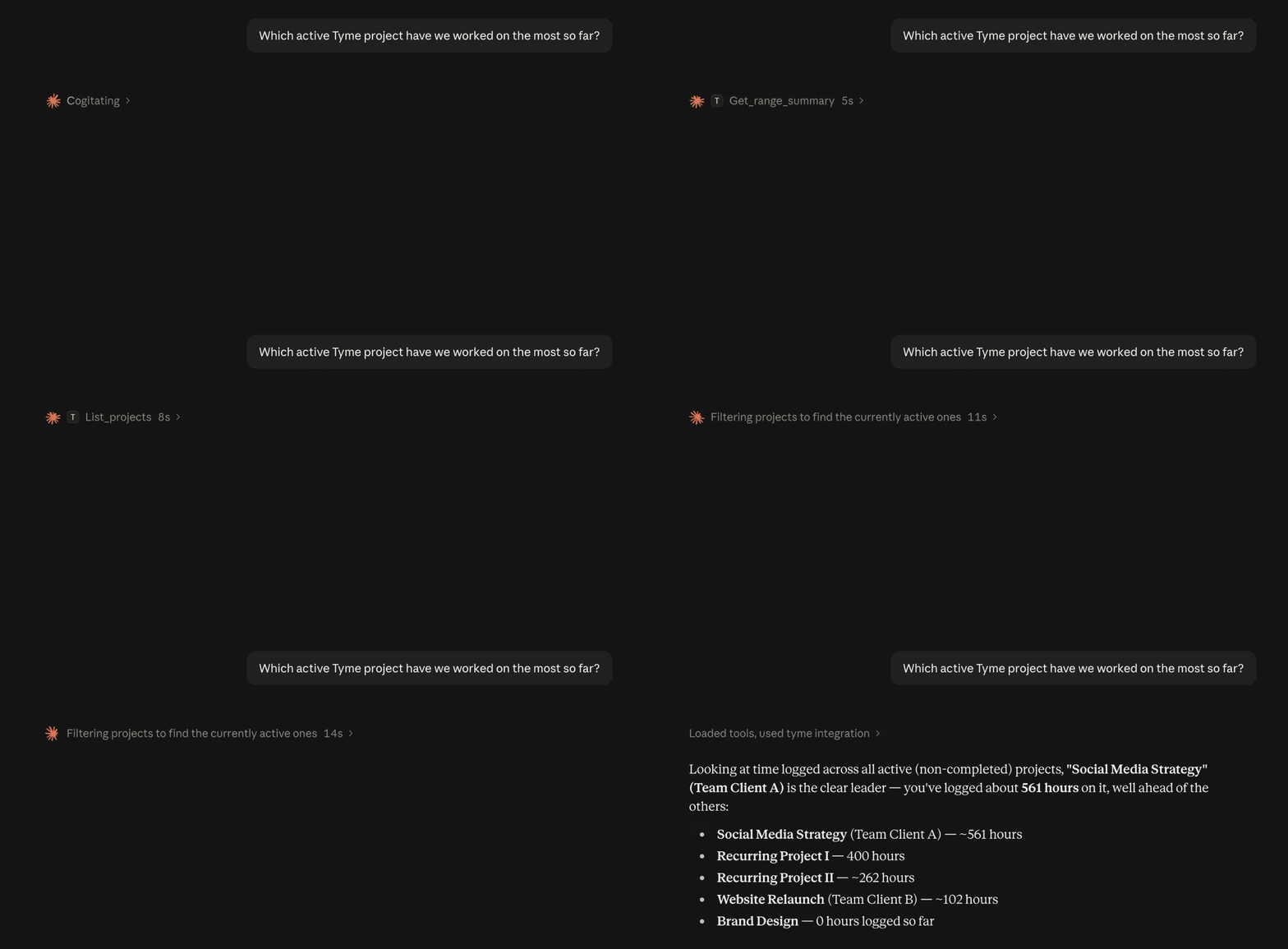
- "Which project has the most hours logged so far?"
- "Which is my most expensive project?"
- "Which project has the best performance – budget vs. actual effort?"
- "Which projects haven't been invoiced yet?"
- "How much overtime have I accumulated this month?"
- "Are there any team members who haven't logged hours this week?"
- "Create this proposal as a project in Tyme."
- and much more.
| Privacy notice |
|---|
| The Tyme MCP server is an optional feature – it only runs if you actively set it up. Without activation, no data is sent to any AI assistant. |
| Once you connect an AI assistant via the MCP server, it gains read and write access to your Tyme data – whether that's Claude, ChatGPT, Gemini, or others. How that data is processed and stored depends entirely on the assistant's provider – please review their privacy policy carefully. |
| If GDPR compliance matters to you, there are AI assistants that run entirely locally on your own device, or EU-based providers like Mistral that process data under EU standards. |
What You Can Also Do With It
Reports on Demand
“How many hours did I work for Client X this month?” or “Show me all the hours from the last quarter that I haven't billed yet.” With the MCP Server, you can simply ask your AI assistant. You'll get an answer in just a few seconds.
Weekly Summaries and Overtime
On Friday evening, your assistant summarizes your week: projects, hours, billable or not. And if you want the honest answer: "Do the overtime and under-hours balance out over the last 3 months?"
For Teams and Admins: What Is the Team up to?
"I'd like to see team utilization this week." With the Tyme MCP server, your assistant knows the answer immediately.
Working Hours in View
Long days often go unnoticed in small teams because everyone is too busy. "Are there any team members who worked more than 10 hours in a single day this week?" – catching unusual patterns early means you can address them early.
"Has my team taken enough breaks?" That's easy to check too: your assistant can analyze a day's time entries and identify whether proper breaks are showing up between bookings.
Error-Checking and Completeness
Sometimes a timer accidentally runs overnight, or an entry shows 55 hours … "Show me all entries from the last two weeks that are longer than 8 hours" and your assistant filters them out.
And right before the monthly billing run: "Are there any team members who haven't logged hours this week?" That replaces the manual check.
This Genuinely Surprised Us
You send your assistant your proposal or project brief – as a PDF, a text file, or just pasted into the chat. Then you say: "Create the list as a project in Tyme."
Your assistant reads the structure, identifies the client, project name, and tasks – and creates everything directly in Tyme.
It sounds like a dream come true. It isn't. Tyme's MCP server has the tools, your assistant has the reading ability.
Set Up in Minutes
Download & Try Tyme for Free.
Do you want to put Tyme to the test? Download it right now to get a free trial. It is fully functional and syncs to all your Macs, iPads and iPhones.
Got Questions?
You have a question regarding any Tyme topic? Please feel free to check out our extensive Help & Support section.
4.7

Start with a 14-day free trial.