Switching From Harvest to Tyme? Here’s How to Bring Your Data Along
Switching to a new app is often frustrating when it means leaving your data behind. That’s why Tyme has its own Harvest importer. Clients, projects, tasks, and time entries all come with you. You pick up in Tyme right where you left off in Harvest.
Step 1: Activate the Harvest Plugin in Tyme
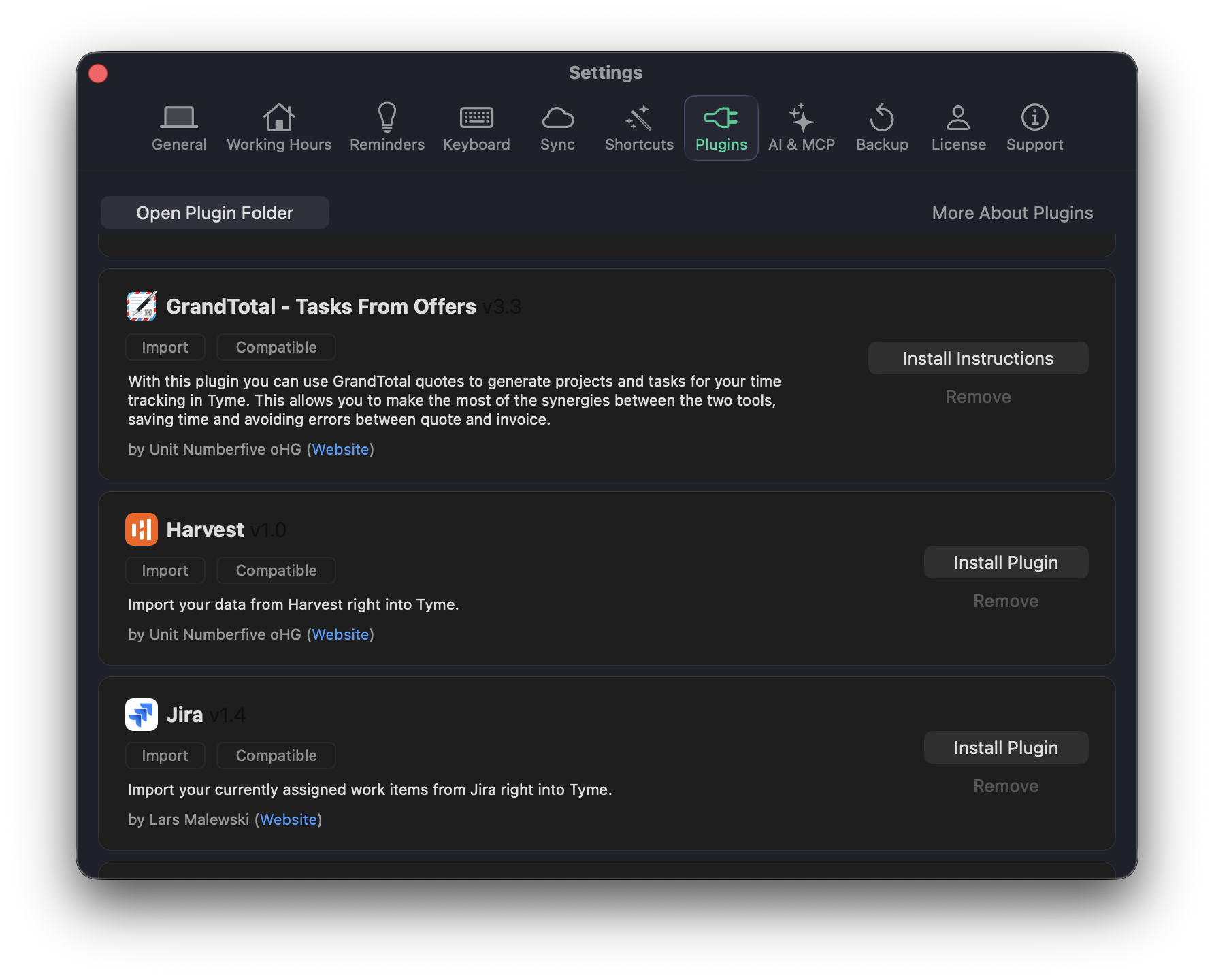
In Tyme, go to Settings → Plugins and find the Harvest plugin. You can install it directly from there.
Step 2: Import Your Harvest Data
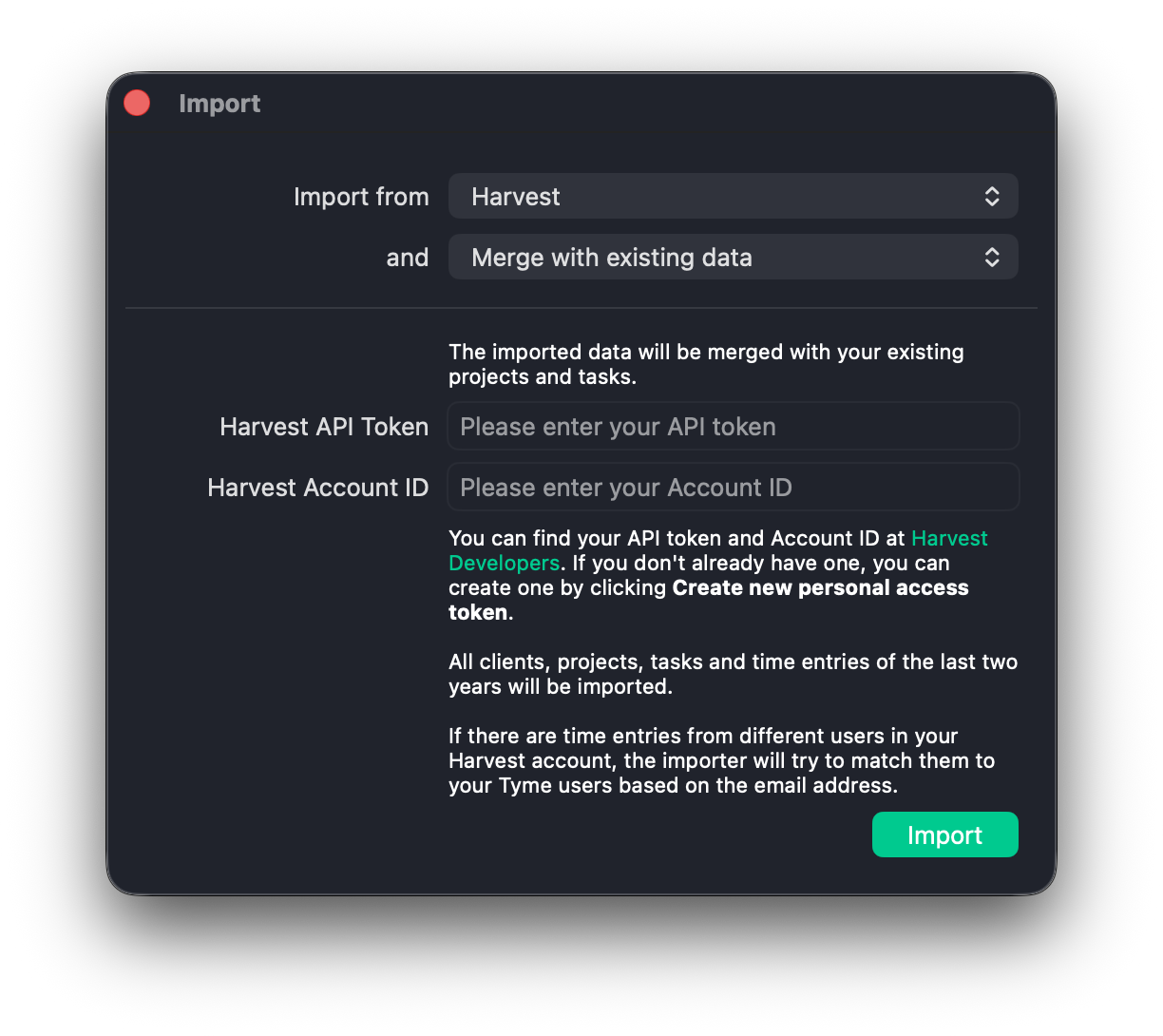
Open the plugin and follow the instructions. You’ll find the required credentials on the Harvest Developers page.
Questions About the Import?
Our team is happy to help directly. Write to us. We respond quickly.
What About Invoicing?
Harvest had invoicing built in – Tyme doesn’t. For invoicing, we recommend directly integrated tools like Lexware Office, GrandTotal, sevdesk, FreshBooks, and more. Anyone who used Harvest for invoicing will find a full replacement here.
Also Worth Reading:
→ Tyme vs. Harvest – a comparison
Download & Try Tyme for Free.
Do you want to put Tyme to the test? Download it right now to get a free trial. It is fully functional and syncs to all your Macs, iPads and iPhones.
Got Questions?
You have a question regarding any Tyme topic? Please feel free to check out our extensive Help & Support section.
4.7

Start with a 14-day free trial.