September 07, 2026
Requested by Many: The Tyme MCP Server
What Is The Tyme MCP Server?
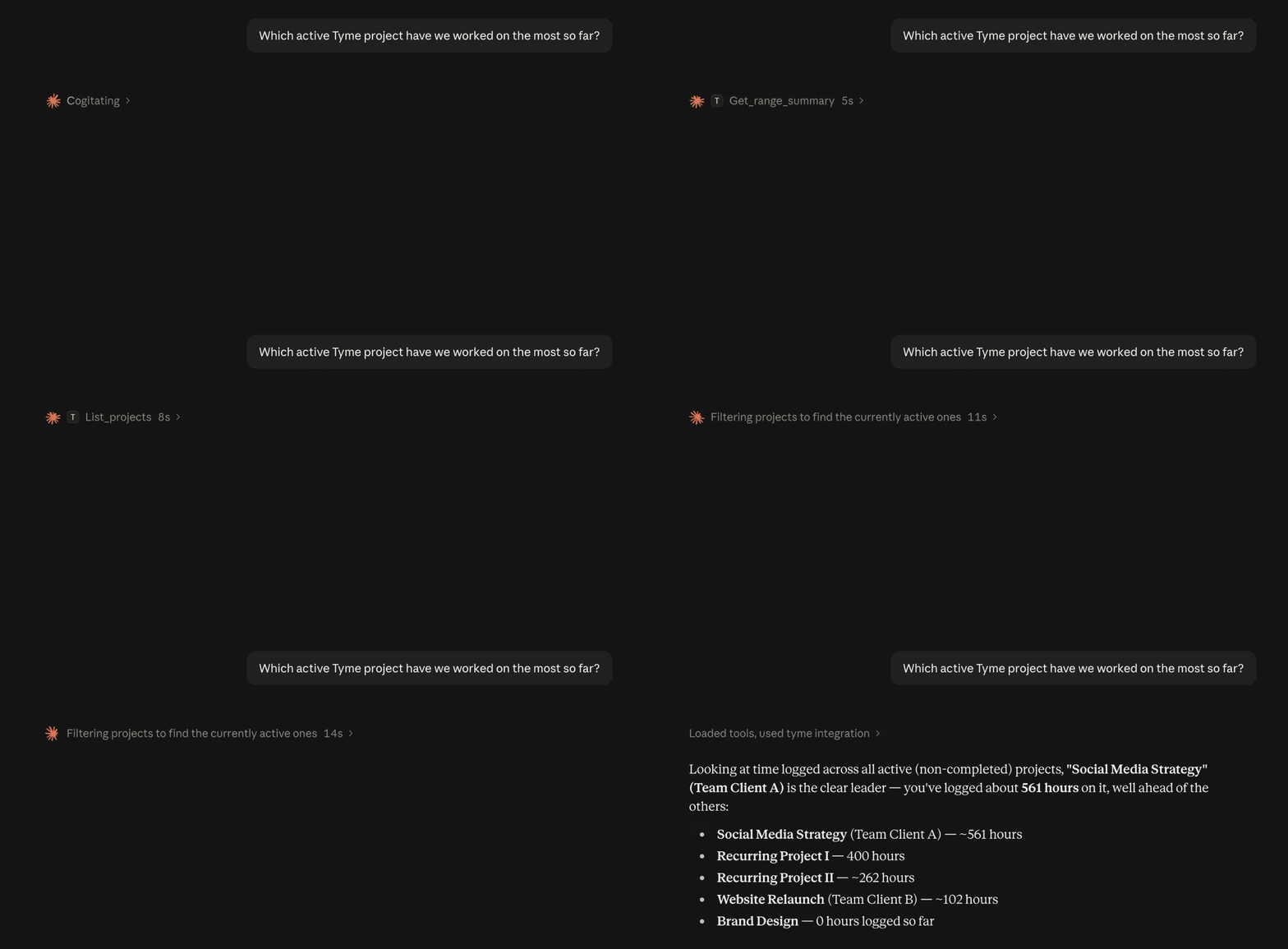
Tyme now has its own MCP server. That means AI assistants like Claude, ChatGPT or Gemini can talk directly to your time tracking. You ask a question, the assistant looks at your data, and answers.
MCP stands for Model Context Protocol, an open standard that connects AI apps to other applications.
What You Can Ask the AI Assistant
- "How busy is my team this week?"
- "Which project has the most hours logged so far?"
- "Which is my most expensive project?"
- "Which project has the best performance – budget vs. actual effort?"
- "Which projects haven't been invoiced yet?"
- "How much overtime have I accumulated this month?"
- "Are there any team members who haven't logged hours this week?"
- "Create this proposal as a project in Tyme."
- and much more.
| Privacy notice |
|---|
| The Tyme MCP server is an optional feature – it only runs if you actively set it up. Without activation, no data is sent to any AI assistant. |
| Once you connect an AI assistant via the MCP server, it gains read and write access to your Tyme data – whether that's Claude, ChatGPT, Gemini, or others. How that data is processed and stored depends entirely on the assistant's provider – please review their privacy policy carefully. |
| If GDPR compliance matters to you, there are AI assistants that run entirely locally on your own device, or EU-based providers like Mistral that process data under EU standards. |
What You Can Also Do With It
Reports on Demand
“How many hours did I work for Client X this month?” or “Show me all the hours from the last quarter that I haven't billed yet.” With the MCP Server, you can simply ask your AI assistant. You'll get an answer in just a few seconds.
Weekly Summaries and Overtime
On Friday evening, your assistant summarizes your week: projects, hours, billable or not. And if you want the honest answer: "Do the overtime and under-hours balance out over the last 3 months?"
For Teams and Admins: What Is the Team up to?
"I'd like to see team utilization this week." With the Tyme MCP server, your assistant knows the answer immediately.
Working Hours in View
Long days often go unnoticed in small teams because everyone is too busy. "Are there any team members who worked more than 10 hours in a single day this week?" – catching unusual patterns early means you can address them early.
"Has my team taken enough breaks?" That's easy to check too: your assistant can analyze a day's time entries and identify whether proper breaks are showing up between bookings.
Error-Checking and Completeness
Sometimes a timer accidentally runs overnight, or an entry shows 55 hours … "Show me all entries from the last two weeks that are longer than 8 hours" and your assistant filters them out.
And right before the monthly billing run: "Are there any team members who haven't logged hours this week?" That replaces the manual check.
This Genuinely Surprised Us
You send your assistant your proposal or project brief – as a PDF, a text file, or just pasted into the chat. Then you say: "Create the list as a project in Tyme."
Your assistant reads the structure, identifies the client, project name, and tasks – and creates everything directly in Tyme.
It sounds like a dream come true. It isn't. Tyme's MCP server has the tools, your assistant has the reading ability.
Set Up in Minutes
June 26, 2026
Tyme & n8n – When Your Tools Start Talking to Each Other
Imagine this: You’re in a meeting. You wrap it up. And five minutes later, all the resulting tasks are already set up in Tyme. No manual process! The tools did it all on their own.
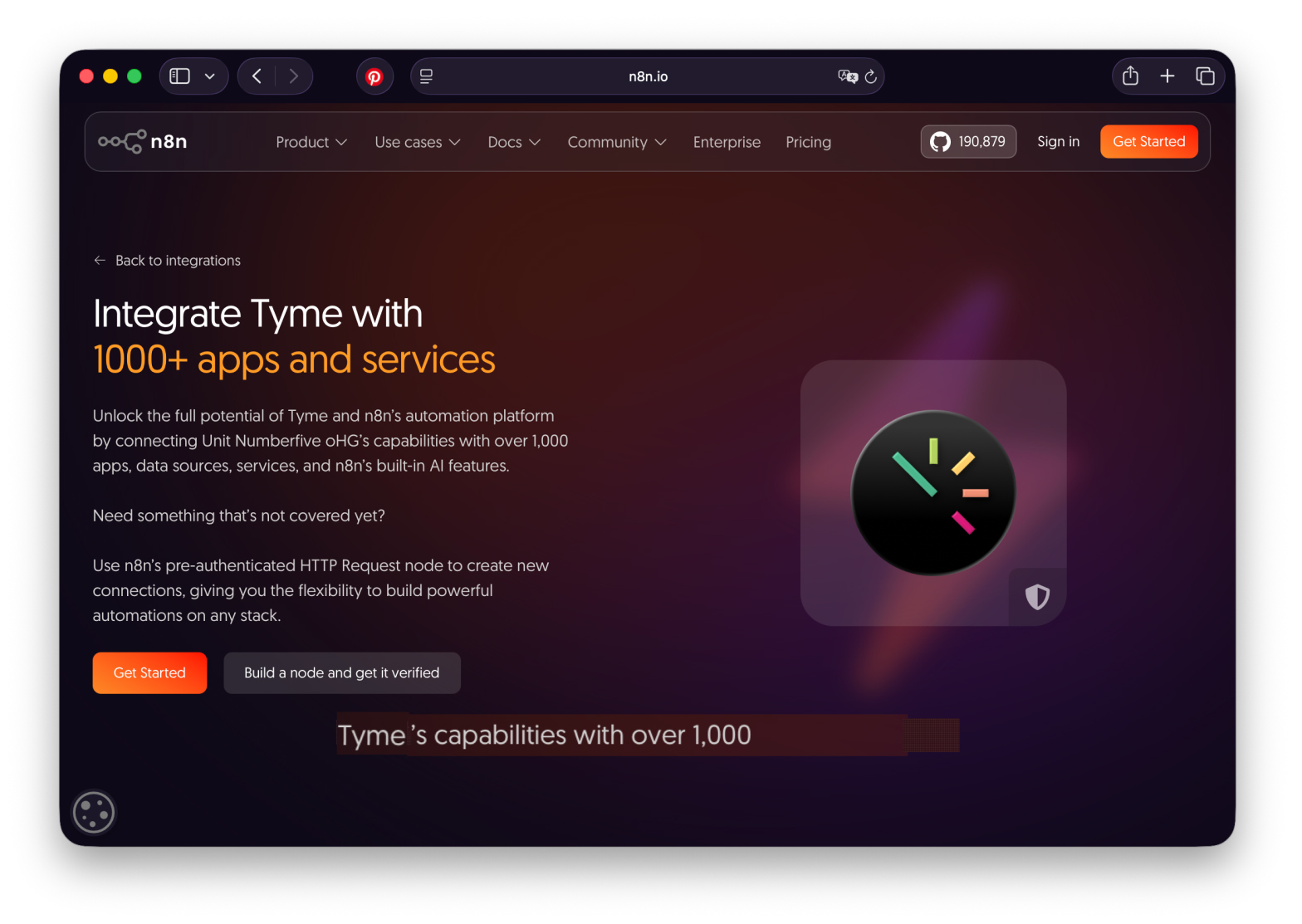
That sounds like a miracle, but it’s possible today. With n8n as a workflow automation platform and Tyme as a time-tracking app that integrates seamlessly here.
What is n8n?
n8n is an open-source platform for workflow automation. You build workflows visually on a canvas—node by node, step by step. No coding required. If you want, you can integrate JavaScript or Python directly. n8n can be self-hosted or used in the cloud. Over 500 integrations are available for your specific tasks.
The principle: You connect tools that previously couldn’t communicate with each other. The more tools you connect, the more processes and tasks you can automate.
Tyme as Part of Your Workflow
Tyme is available as an integration in n8n. For example, you can retrieve and log times of the team, manage projects and tasks, view summaries, record absences.
Tyme is no longer just an app that you track times with. Tyme becomes an active database: a node in your personal, automated network of tools.
Example 1: Automatic Standup Notes in Slack
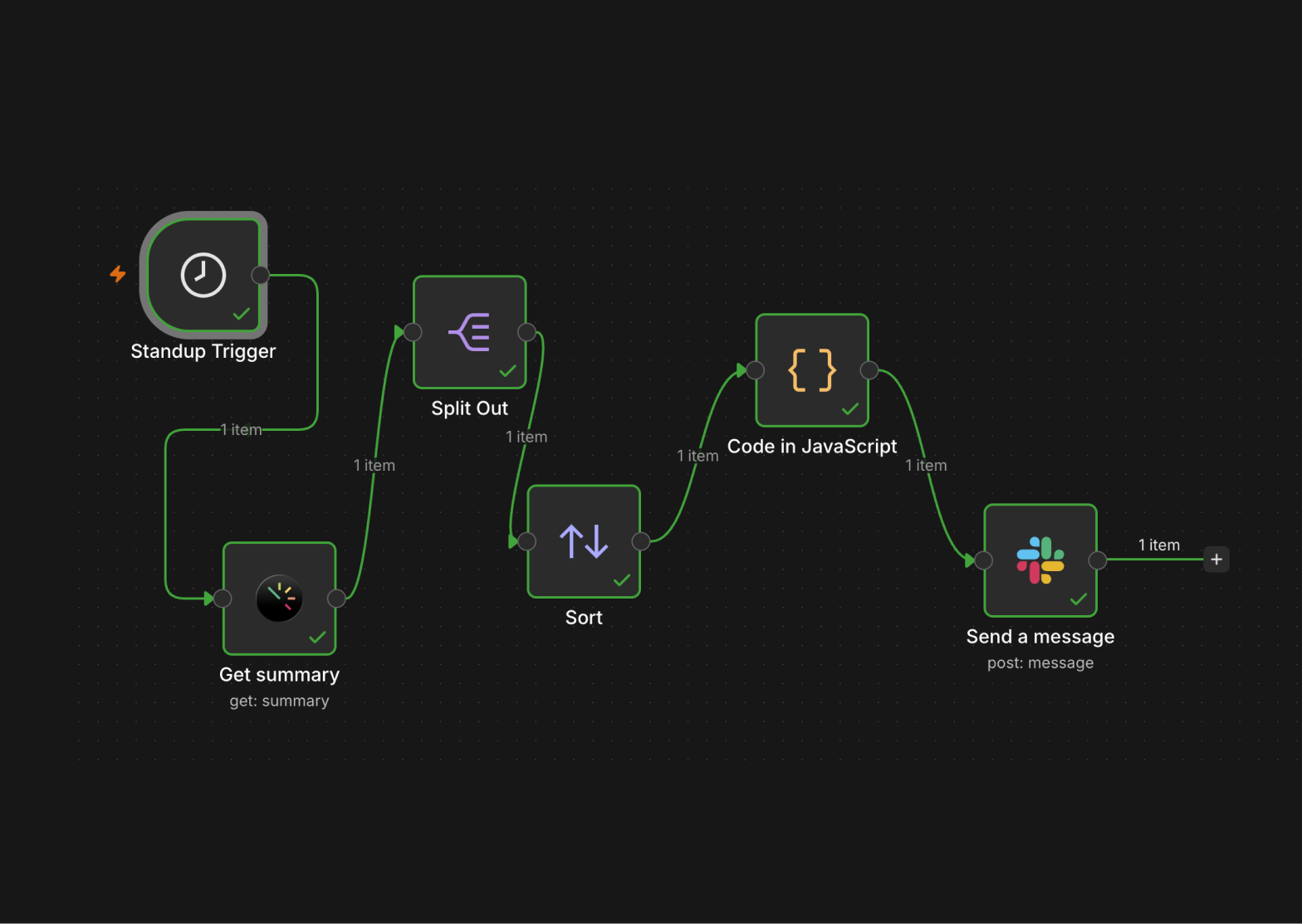
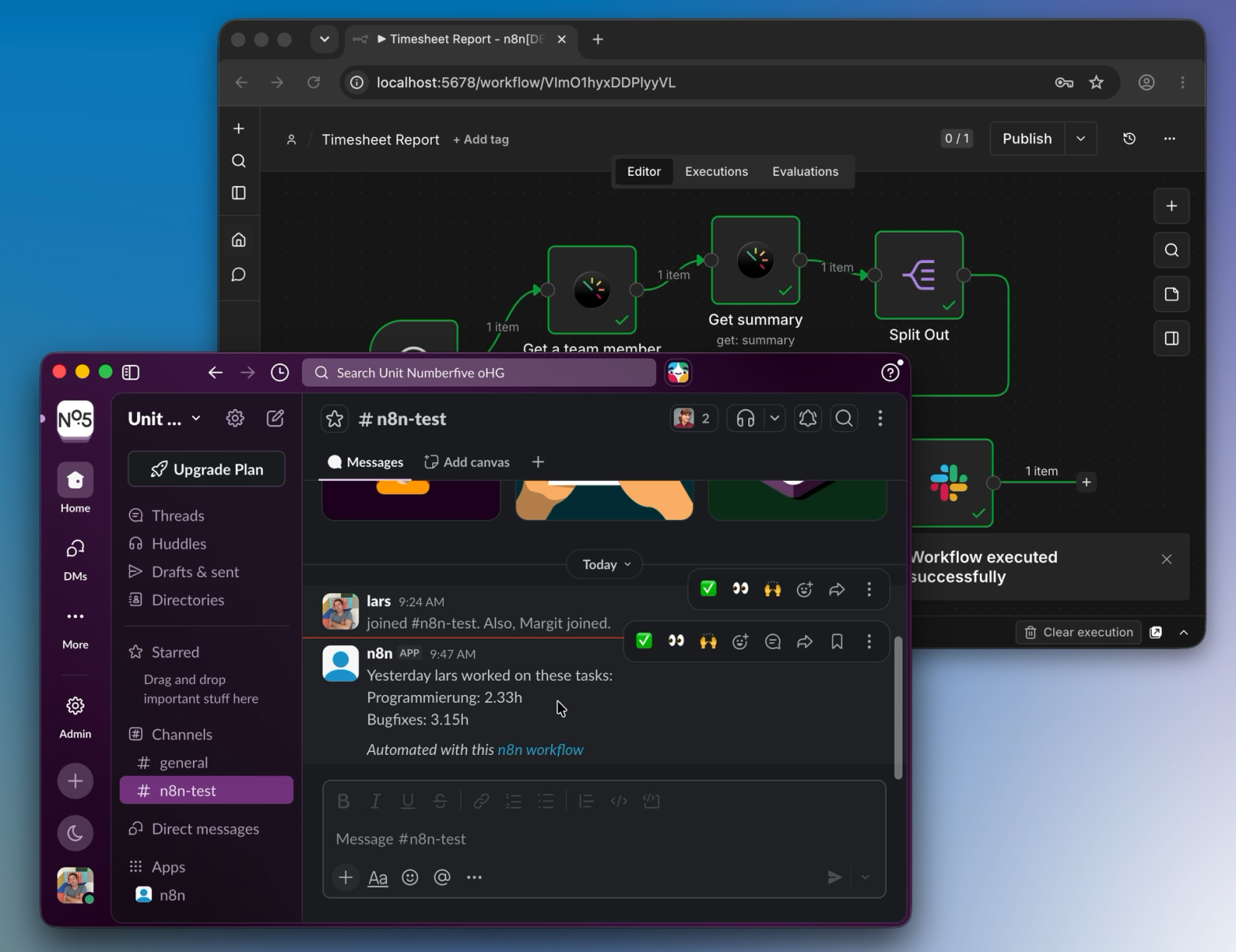
A workflow that runs every morning at 8:00 a.m. It retrieves employees’ recorded times and notes from the previous day from Tyme and posts them directly as a standup message in the Slack channel.
The result: Standup minutes that write themselves.
Example 2: Generating Tasks from Meeting Notes Using AI
This is where an LLM comes into play: After a meeting, a summary lands in your system—as text, an email, a transcript, you name it. An n8n workflow grabs this text and sends it to an LLM, such as Claude or ChatGPT, with a prompt like: “Extract all tasks from these notes. Return them as a list, including the title and the person responsible.”
The LLM responds with structured tasks. n8n takes this list and creates each individual task directly in Tyme.
The result: You finish a meeting, and Tyme immediately knows the team’s next tasks.
What Else Is Possible
Those are two examples, but n8n and Tyme can do more:
- Time entries could be automatically transferred to an accounting system.
- New projects from a CRM could be created directly as Tyme projects.
- Weekly reports could compile themselves.
- And much more.
Tyme tracks your time, and n8n gets it where it’s needed. And the more tools you connect, the more work the n8n workflow takes off your hands.
June 25, 2026
Tyme Web Update: Project List
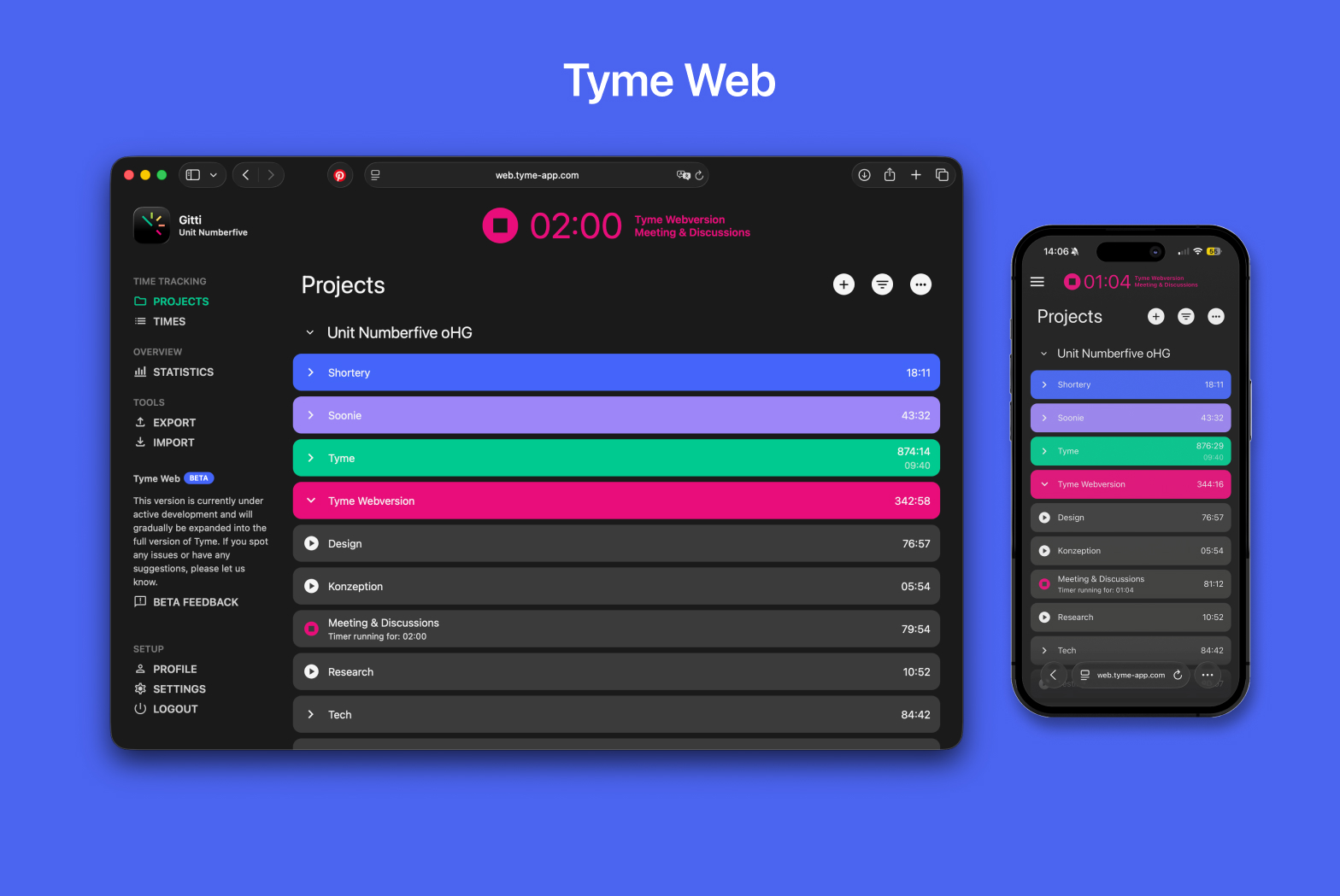
When we launched the Tyme web app in April, it was all about the basics: starting and stopping timers, tracking and editing times, recording breaks. Today, we're happy to announce: Project management is now available in the Tyme web app.
The web version now includes a full project list — the same one you know from the Mac and iOS apps. This means team admins no longer need to switch to a native app to set up and manage their projects.
Why are we doing this? Our popular time-tracking app, which was previously only available on iPhone, iPad, and Mac, is now available in the browser for everyone on the team —on Windows, Android, and across all platforms. And, of course, for anyone else who prefers to work in a browser.
That's New
- Create and edit projects and tasks
- Manage budgets for projects and tasks
- Set planned times to keep your team on track
- Organize your project structure just like in the native apps
More to Come
This update is another step toward making the web version a top-notch Tyme experience. Team management, statistics, and exports are next on our list. And then, users on Windows and Android will finally be able to enjoy everything Tyme has to offer.
As always, we'd love to hear your feedback. Let us know what's working and what you'd like to see next.
May 26, 2026
Invoices With Tyme & WISO MeinBüro
Create E-Invoices From Tyme Directly in WISO MeinBüro
WISO MeinBüro is one of the most popular accounting softwares in German-speaking countries. Hundreds of thousands of self-employed individuals, freelancers, and small businesses use it daily for quotes, invoices, and bookkeeping. And starting now, WISO can be connected directly to Tyme.
With the new WISO MeinBüro plugin, you can transfer the hours you’ve tracked in Tyme to WISO as an e-invoice with just a few clicks. Projects, tasks, hourly rates, working hours — everything ends up neatly structured in your invoice without you having to manually transfer data. The hours are immediately marked as billed in Tyme.
This is particularly relevant right now: Starting in 2025, Germany will require the receipt of e-invoices in the B2B sector, and the requirement to send them will be phased in by 2028. Anyone with clients who expect e-invoices – or who want to start issuing them themselves — is well-positioned with WISO MeinBüro and Tyme.
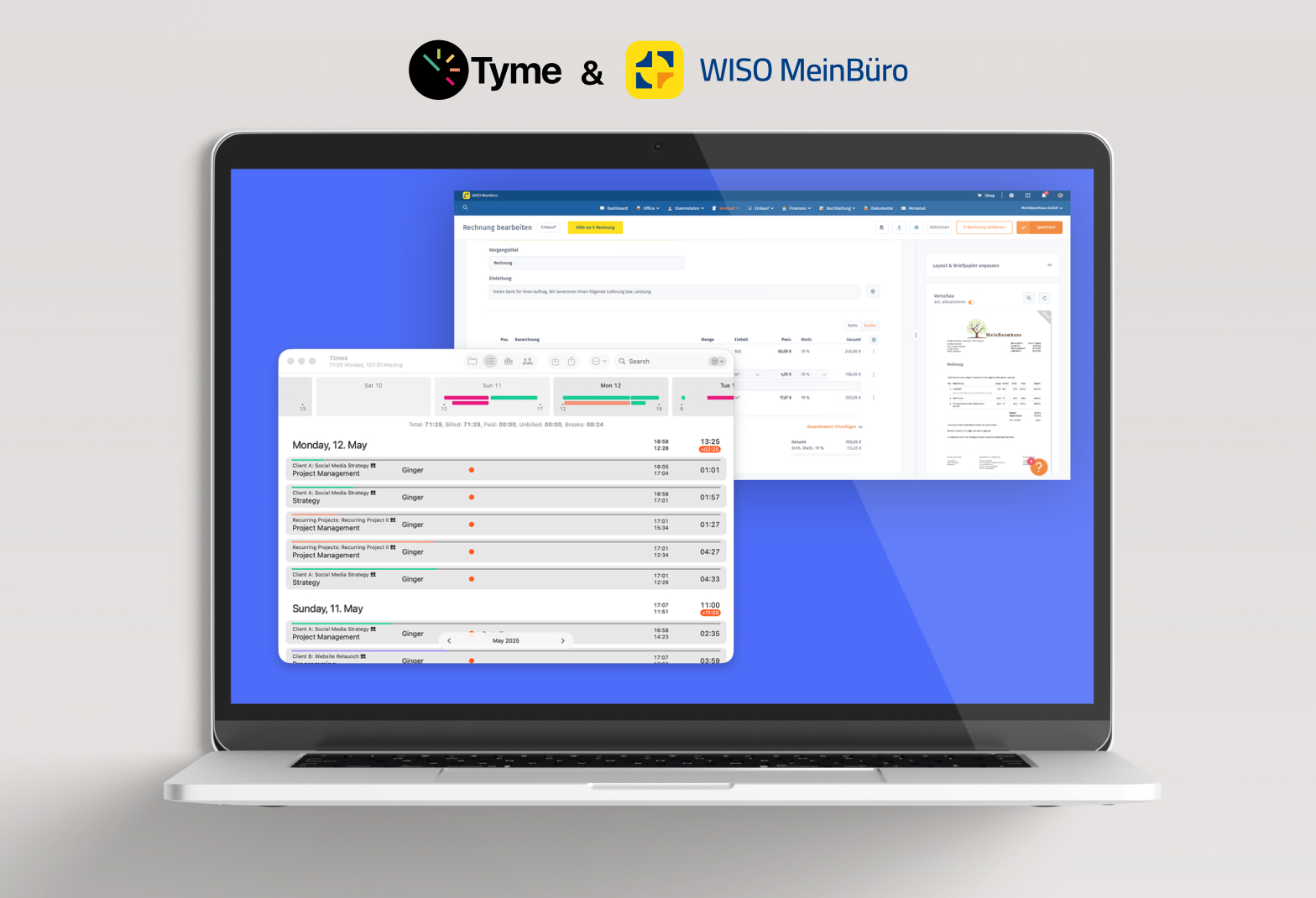
-> You can find the WISO plugin in the Tyme app under “Plugins" and the Tyme integration in the WISO app under “Extensions".
Switching Made Easy: Four New Importers
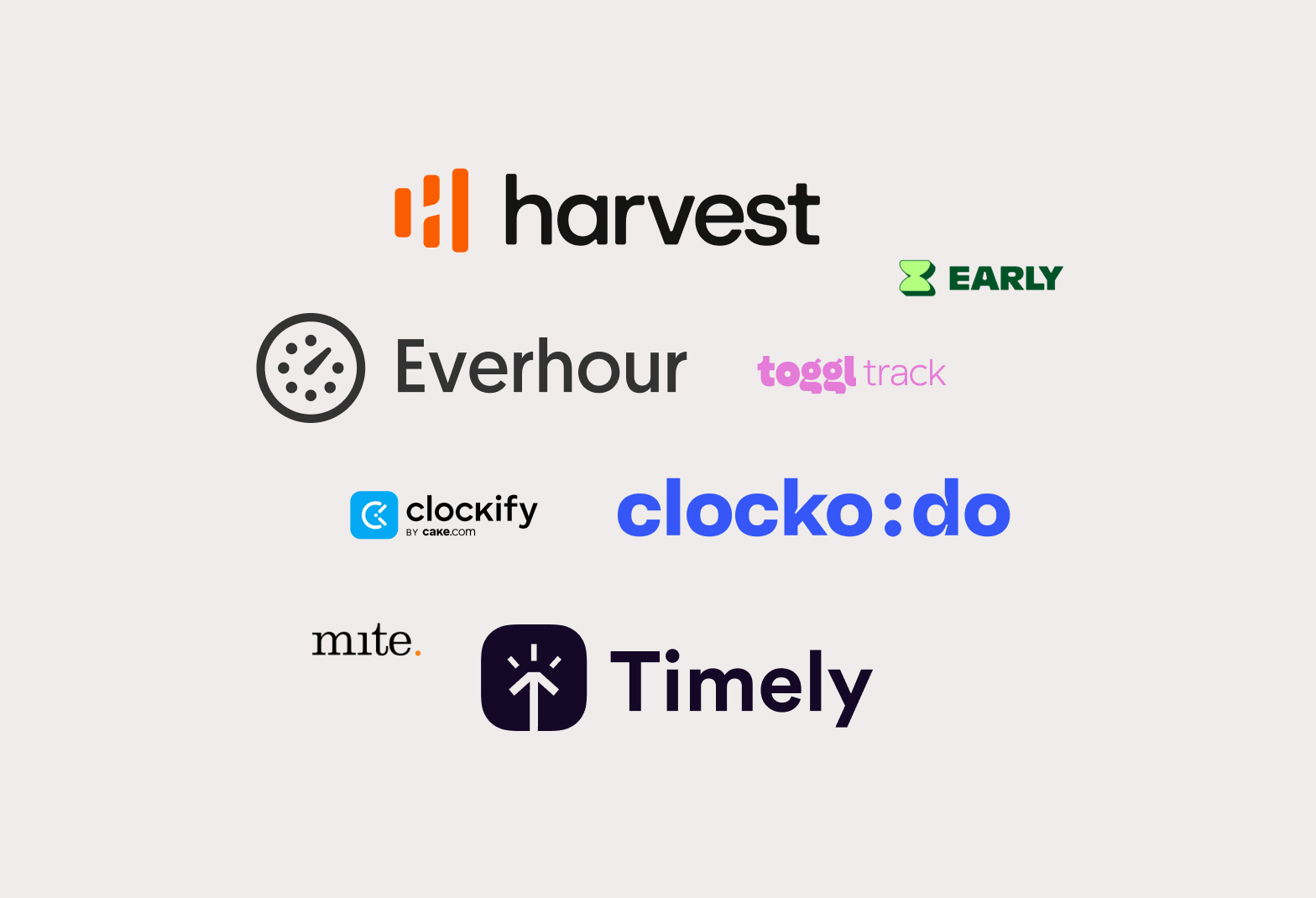
If you’ve been using Clockodo, Everhour, Harvest, or Timely for your time tracking and want to switch to Tyme, you can now import your data directly. No manual transfer, no data loss.
Tyme now supports imports from: Clockodo, Everhour, Harvest, and Timely, as well as from mite, Toggl, Clockify, and Early, which have been supported for some time.
April 14, 2026
Tyme in Your Browser: Time Tracking for Windows & Android (Beta)
“Time tracking can actually be fun” “Have no idea how I’d run my business without Tyme” and “Best time tracking app out there” – These are wonderful reviews from our users.
… And then there is that review: “… If the app ever comes out for Windows, I’ll be over the moon!” Okay, great! Then we’re happy to let you know:
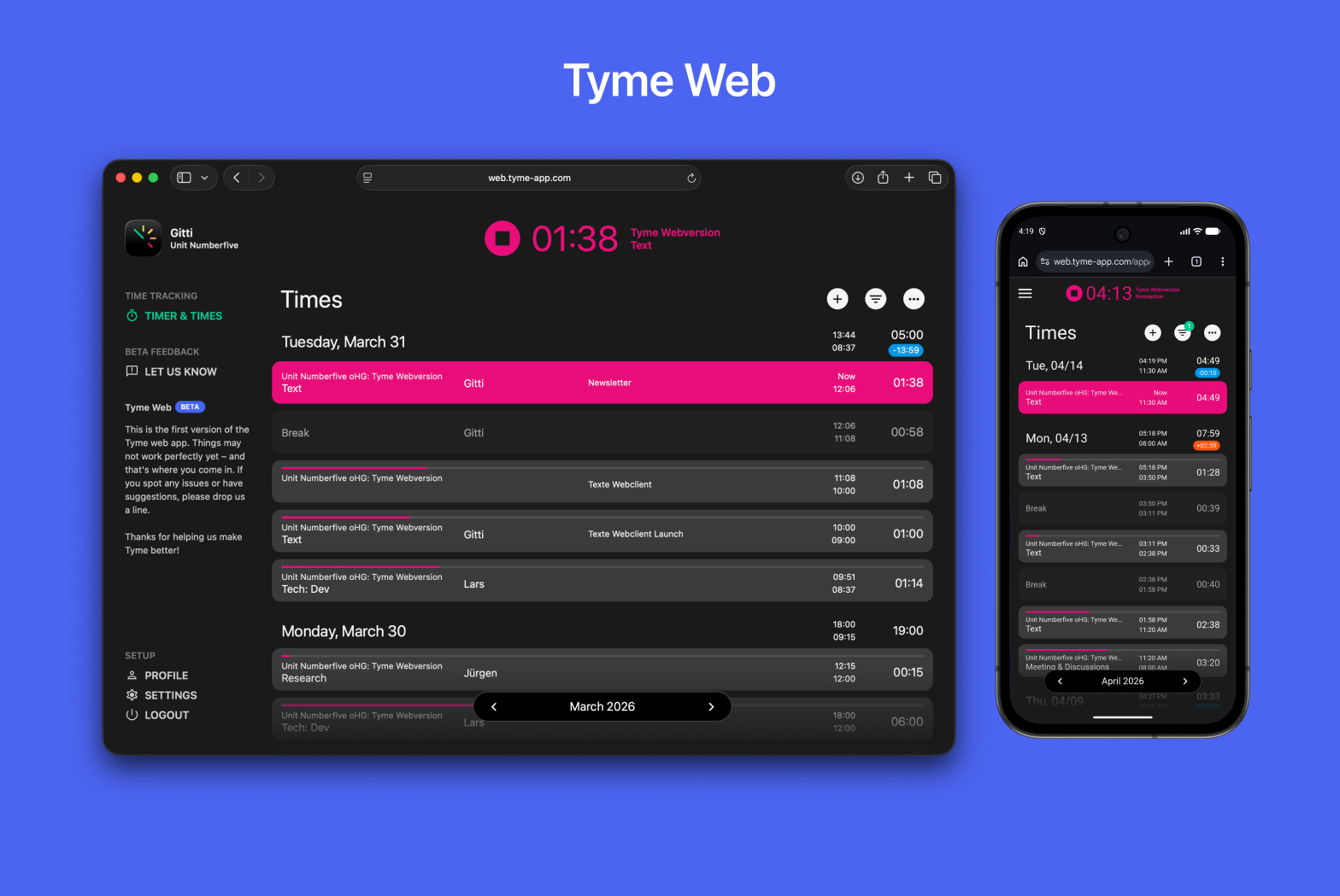
Tyme is now available as a web app (beta)! The popular time tracking app, which was previously only available on iPhone, iPad, and Mac, is now available in the browser for everyone on the team—on Windows, on Android, platform-independent.
Better time tracking for the team
We’ve received a lot of feedback from teams lately, and one request kept coming up: Make Tyme available across platforms. That’s because not everyone on many teams uses a Mac or iPhone.
With the new Tyme web version (beta), that’s a thing of the past. Tyme now runs in your browser!
What the web version (beta) can do
We built the web version so that it feels visually and functionally similar to our apps for Mac and iPhone, making it as easy as possible for everyone to use.
What already works:
- A large timer in the header – start and stop tracking as easily as possible
- Track times live or add and edit them later
- Record breaks and plan vacations
- All data synced. Available in real time and across all apps
Project management, team management, statistics, and export functions are still handled via the apps for Mac, iPad, and iPhone—for now, these remain the responsibility of the team admin.
Still in beta, but time tracking already usable
True, the web app can’t do everything yet. But it has the most important features, and we’re gradually expanding it. Project management, team management, statistics – those are coming, of course.
We really appreciate your feedback. If something isn't working or is missing, we'd love to hear from you.
➔ Go to the Tyme web app (beta)
Tyme is our time tracking app for Mac, iPhone, and iPad—now also available in your browser. For freelancers, small teams, and anyone who works across platforms.
January 13, 2026
Digital Time Tracking in 2026: How to Turn a Requirement into an Advantage
January 2026. You're planning the year, reviewing your prices, calculating the last quarter's figures – and asking yourself: How many hours were actually spent on Project X? Not sure. Was your work for Client Y profitable? Where is all the time going? And how did all those overtime hours in December come about?
In 2026, digital time tracking is not only mandatory, but also your lever for profitable projects and healthy working hours.
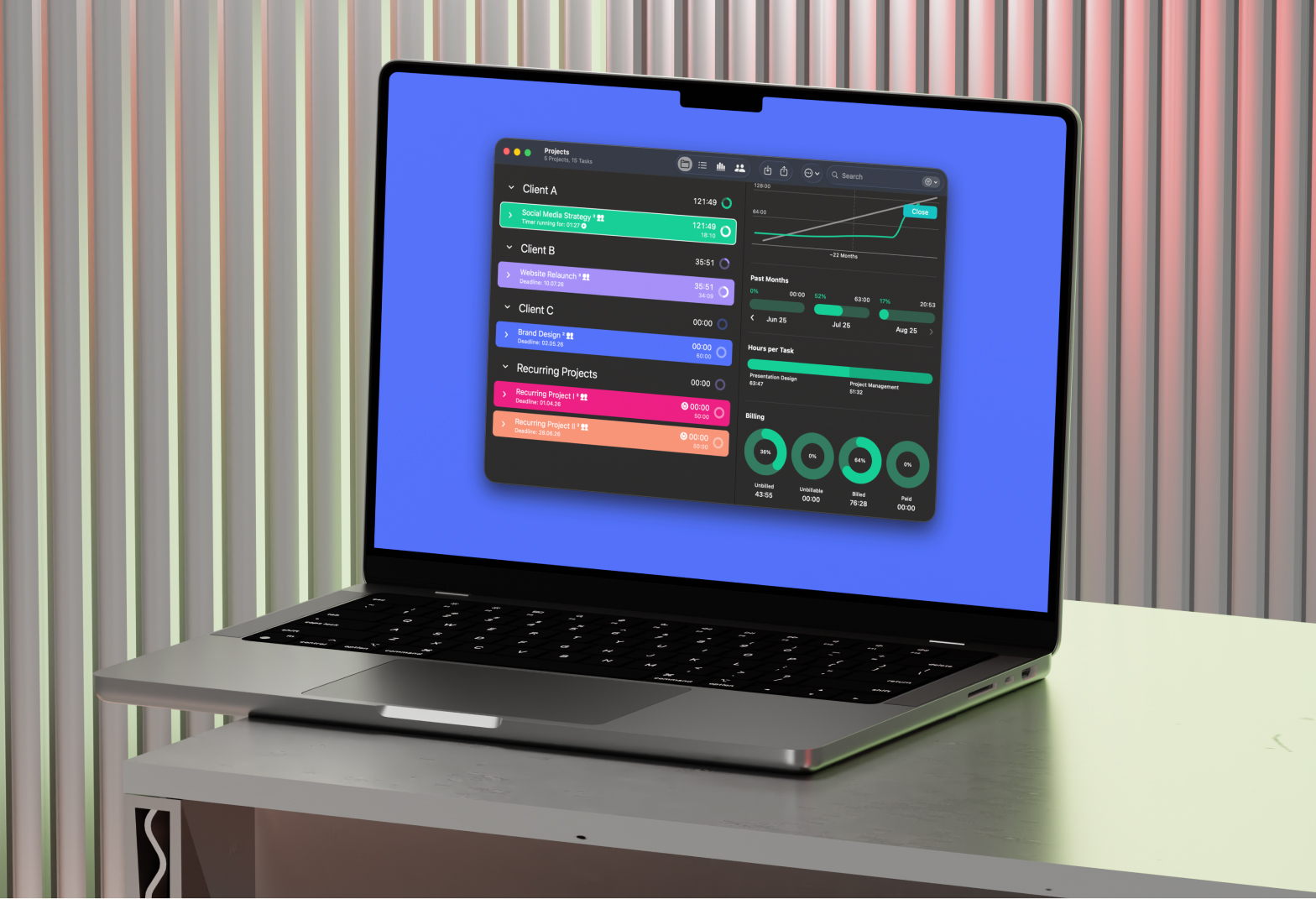
What is digital time tracking? The electronic recording of working hours – start, end, breaks, and project assignment – via app, software, or web tool. Unlike Excel lists or timesheets, it is scalable, analyzable, and legally compliant.
In concrete terms, this means: Modern time tracking combines EU/DACH compliance with measurable benefits – better calculation, less scope creep (the creeping expansion of the project scope), fair working hours, and significantly faster invoicing.
What Does the Law Say in 2026?
The legal direction is clear: In 2022 (1 ABR 22/21), the Federal Labor Court clarified that employers in Germany must record the start, end, and overtime of their employees (ArbZG). The basis for this was laid by the ECJ ruling of 2019, which obliges all member states to have objective, reliable systems in place.
Germany: Recording of start and end times and overtime is mandatory.
Austria: Section 26 of the Working Hours Act (AZG) specifically regulates the recording obligation.
Switzerland: In addition to regular recording, SECO also recognizes simplified models (Art. 73 ArGV 1).
The 5 Most Important Advantages for Agencies, IT Teams, Designers, Marketers, Freelancers, and Self-Employed Persons
1) More Accurate Quotes Instead of Gut Feelings
Actual times make quotes and retainers realistic: more precise cost estimates per service (concept, design, dev, QA, construction management, etc.), fewer "we miscalculated" situations, and clearer prices for recurring to-dos and task packages.
2) Detect Scope Creep Early
Time tracking shows when a project is going off track before it escalates. This is particularly valuable for agencies, architecture firms, and freelancers, where change requests are part of everyday life.
3) Capacity Planning with Real Figures
Digital timesheets provide reliable data: utilization per person, actual effort vs. estimate, realistic sprint and milestone planning.
4) Fairness & Health Protection
In creative and IT-heavy environments, overload often creeps up gradually. A time tracking system makes overtime and under-time visible and enables fair compensation—in line with EU requirements for measurable working hours.
5) Faster Billing
For freelancers and teams, this means invoices in minutes and traceable time sheets and working time records.
Use Cases by Target Group
Freelancers & Self-Employed: Clear overview of time invested, faster invoicing, better estimates for future projects.
Agencies: Retainer controlling, margin per customer, employee utilization.
Architectural Firms: HOAI phase transparency, documenting supplements, construction site time tracking.
Law Firms: Hourly billing of clients, case tracking, fee statements.
Consulting: Make project phases transparent, justify daily rates, document additional expenses.
IT/Software Teams: Sprint reality vs. planning, improving forecasts, quantifying tech debt.
Design Teams: Protect focus times, document iteration loops, calculate feedback rounds realistically.
Marketing: Track campaign expenses, optimize content production, evaluate channel performance vs. time investment.
Lean Start: The 4-Week Rule
- Start small: First projects + tasks + break rule
- Self-service: Everyone tracks their own hours
- Data economy: Only record what you really evaluate
- Review after 4 weeks: What's annoying? Simplify it. What's missing? Add it.
Practical tip: Start with a pilot project. The average training and acceptance time in the team is 2–3 weeks.
FAQ: Frequently Asked Questions About Time Tracking in 2026
Is time tracking mandatory in Germany in 2026? Yes. Since the BAG ruling in 2022, employers must record the start, end, and overtime hours. Breaks and rest periods must also be taken into account. A specific law for implementation is expected, but the obligation already applies.
Is digital time tracking compatible with trust-based working hours? Yes. Flexibility is maintained—time tracking provides evidence, not control. The team continues to decide when work is done.
How much does time tracking software cost? From free (with limitations) to around $5–15 per user/month for professional tools. The key factor is what you need: just time tracking, but done properly? Or also project controlling and billing?
Which time tracking is suitable for freelancers, self-employed people, and teams? Lean tools with fast time tracking, easy onboarding, project assignment, and export for invoices are ideal. No overhead, no software training.
What about data protection and GDPR? Time tracking data is personal data. Important: Only record what is necessary, clearly define access rights, and do not misuse data. GDPR-compliant tools store data in the EU.
Conclusion
Digital time tracking in 2026 is one of those rare cases where obligation and benefit coincide. It makes projects more predictable, teams healthier, and billing faster.
And when you look back in January 2027? You may see a year with less frustration and better margins.
How to Get Started? The Best Way Is with Tyme
"Time tracking can be fun," "Priceless, really..." and "It doesn't get any better than this!" – that's what our users say.
This is not surprising, as we are in constant communication with our users and incorporate customer feedback directly into our feature planning. Our goal: to make time tracking really easy and as pleasant as possible.
What sets Tyme apart:
- Synchronized: On Mac, iPhone, iPad, and Apple Watch
- Flexible: Designed for freelancers, self-employed people, and teams of up to 50 people, with integrations to other tools (Lexoffice, sevdesk, GrandTotal, etc.)
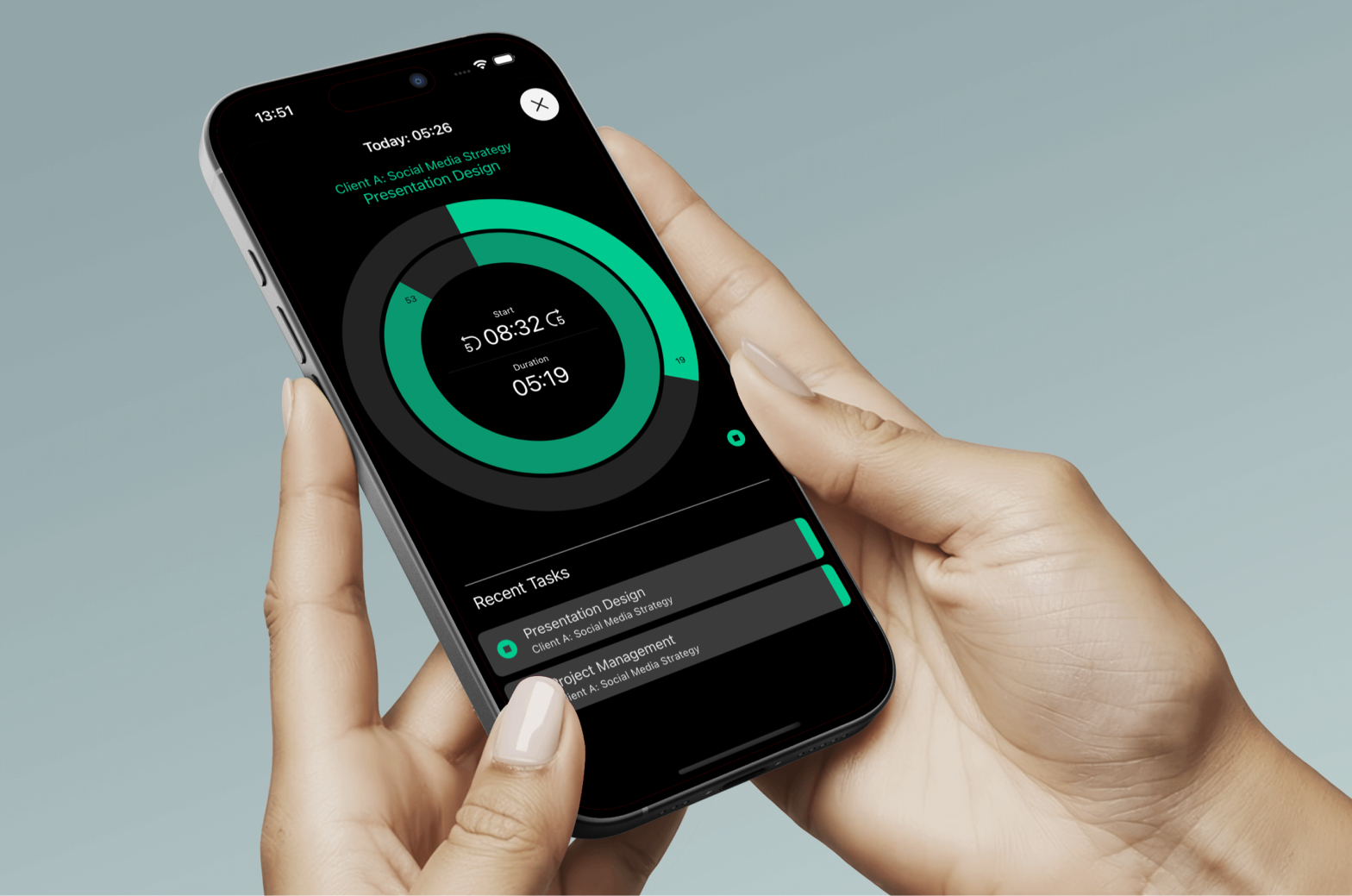
- Clear & attractive: All times, projects, budgets, and analyses at a glance, with a focus on good design
- GDPR & legally compliant: Secure data storage on servers in Germany and in accordance with the ECJ time tracking requirement and German ArbZG
- Direct support: From the development team
- Lean & up-to-date: Does what it's supposed to do – and is constantly being improved
Don't miss our Happy New Year promotion: Until the end of February, there is a 20% discount on annual subscriptions – the perfect time to start with clean time tracking.
November 17, 2025
Liquid Glass – macOS and iOS 26 update
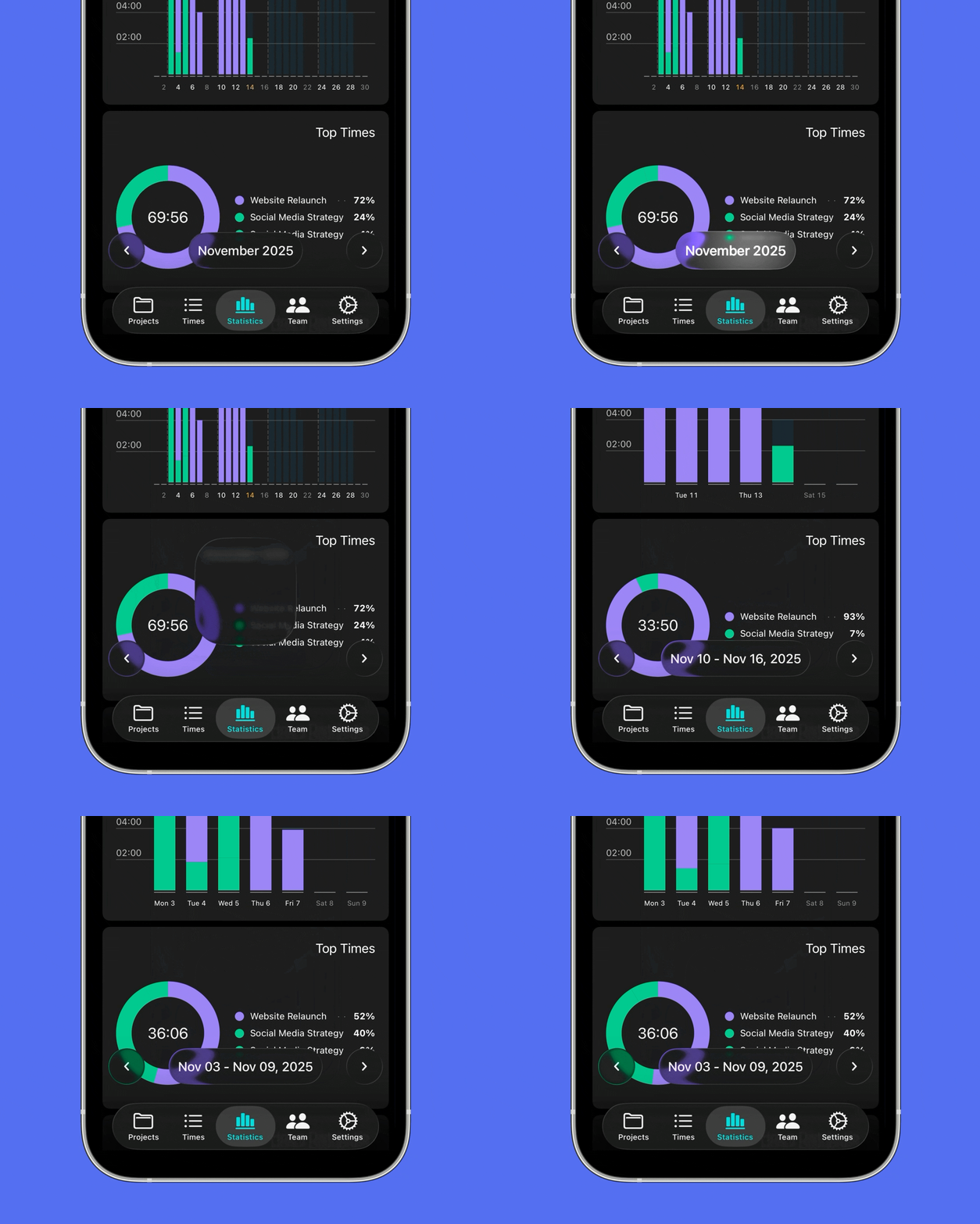
With Apple's major macOS and iOS26 release and the new “Liquid Glass” design, Tyme had a lot of work to do. macOS and iOS 26 is considered one of the most significant design updates since macOS Big Sur: Apple has not only revamped the visual language of both platforms, but also made iOS and macOS appear more uniform than ever before. The interfaces are more responsive to light, depth, and movement, making them appear calmer and more vibrant at the same time. Everything feels more transparent and fluid – fewer edges, more space, more layers.
What's new?
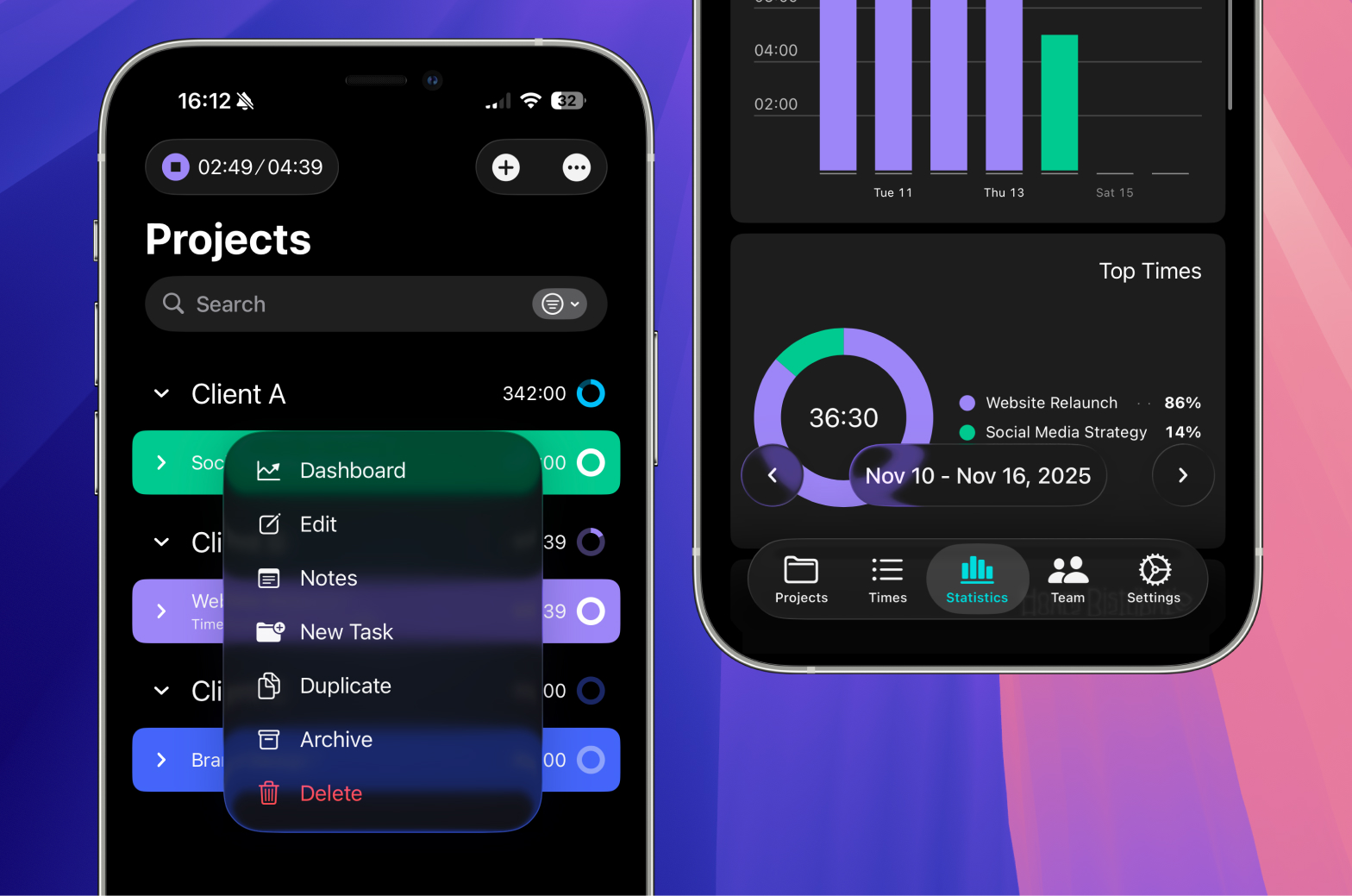
- Fresh app icons for Mac and iPhone: In macOS and iOS 26, Apple is focusing on subtle light edges, soft shadows, mac and the liquid glass effect
- Newly structured main navigation & display options
- New date display as a “floating element” in the time entries screen, which appears to float slightly above the background. We used this idea to make the date display more visible, easier to access, and at the same time more elegant
- Rounded corner radius for various design elements, matching the new operating system
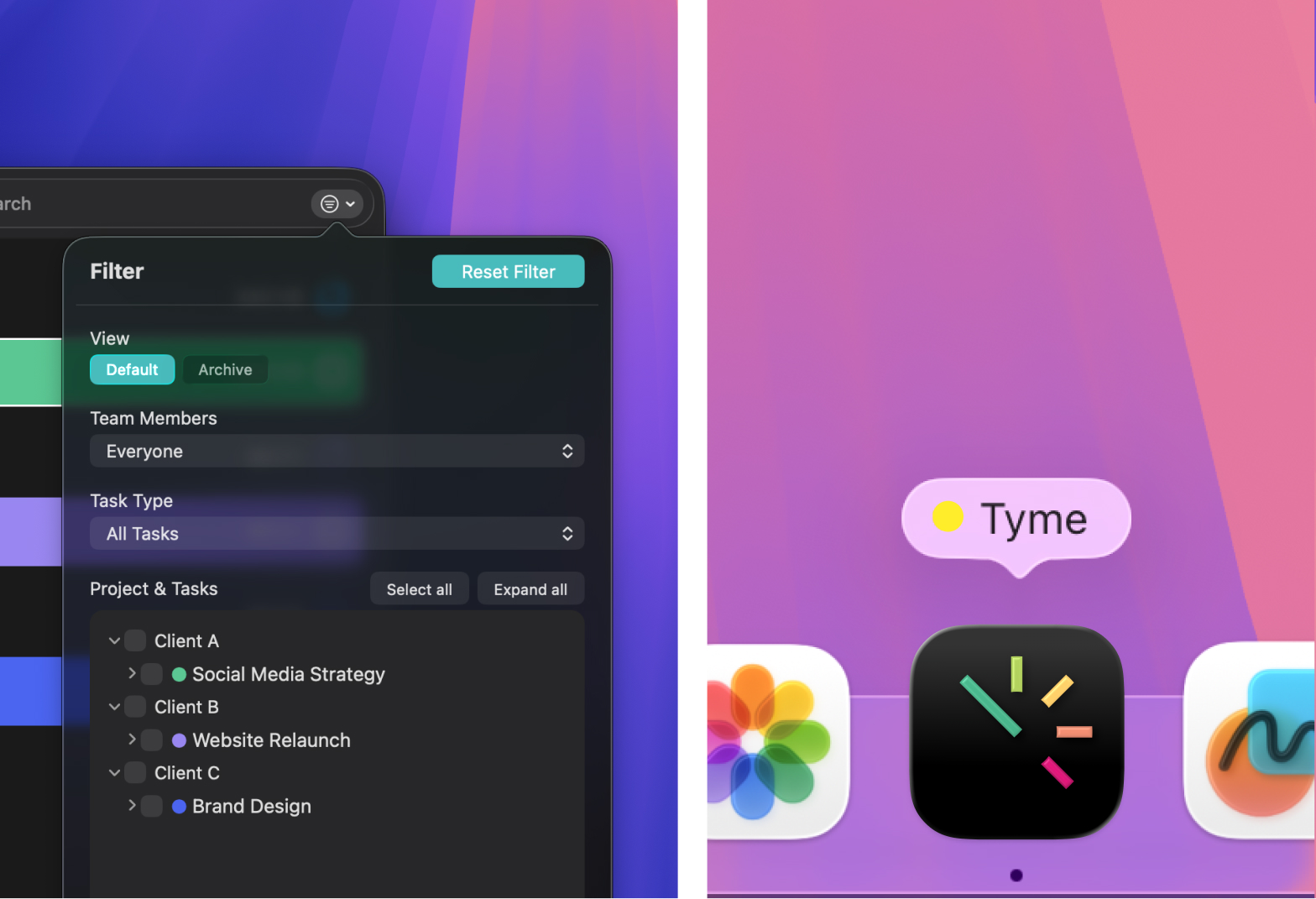
Our challenge is to fit Tyme into this new aesthetic without losing our own visual identity. Our goal is to continue to look like Tyme while also integrating cleanly into the new macOS and iOS 26 environment. We have also revised and reorganised internal areas of the app, modernising sections that could be made clearer with the new look.
As with every Apple update, our goal was not just to incorporate new graphic elements. More important to us is balance: Tyme should feel familiar, but at the same time move naturally in the new “liquid glass” world.
June 05, 2025
The New Search: Find More Easily
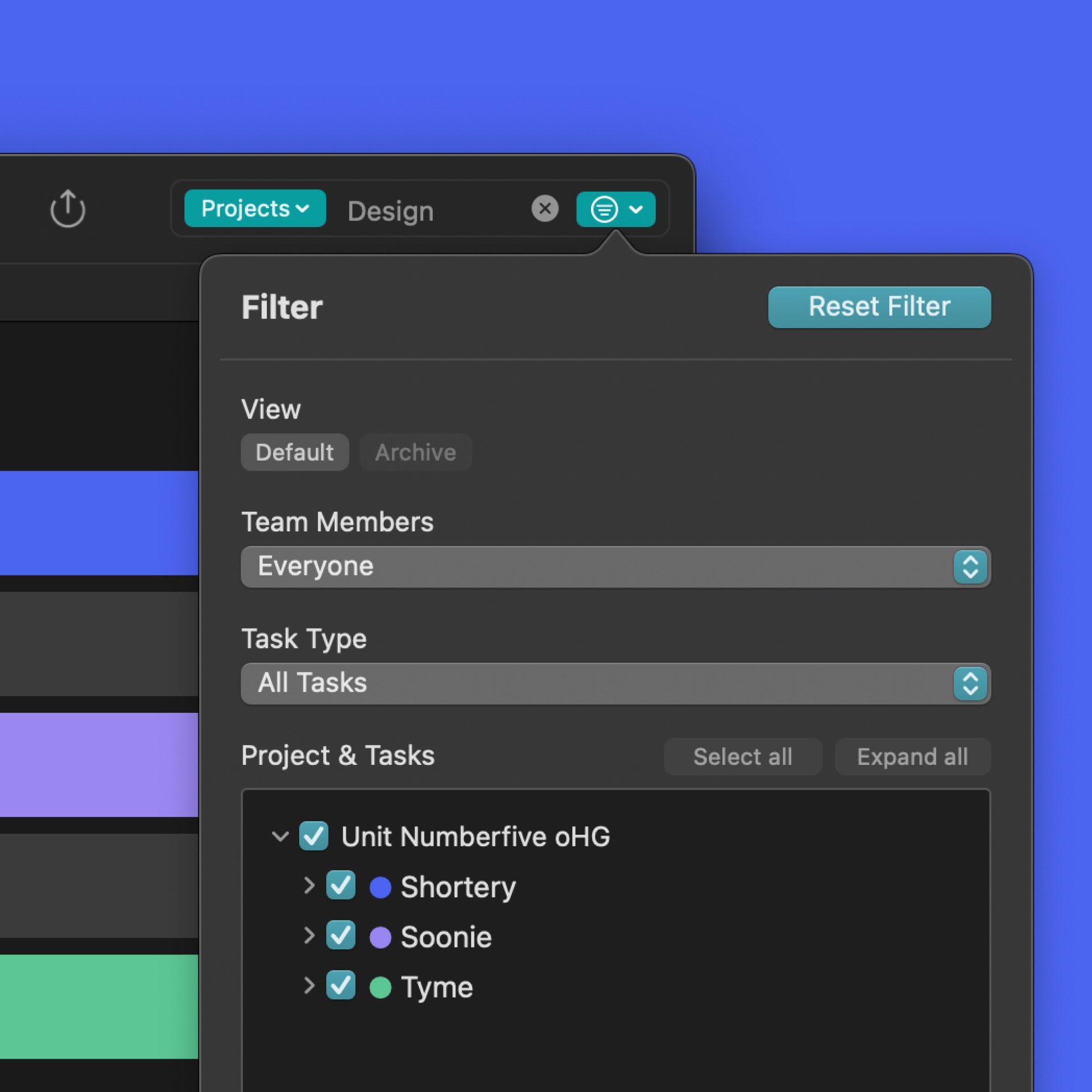
We've given Tyme a small but nice upgrade: the new, unified search.
From now on, you'll find a central search field at the top of every screen, which you can use to find projects, tasks, notes, billing status, team members and more.
Thanks to the new global filter, Tyme automatically searches through all relevant areas for you.
Have fun finding anything 😁
December 04, 2024
Integrate Tyme into your workflows using actions and triggers for Zapier
We are currently in the process of building a Zapier integration for Tyme. The integration offers triggers for the most common events in Tyme, such as creating a new task or starting a time entry. Actions such as creating new projects, tasks or time entries are also supported.
Get started with your first Zap right here and let us know what other features you need to create the perfect workflow for your purpose.
July 21, 2024
Tyme & sevdesk - Create invoices from your recorded hours
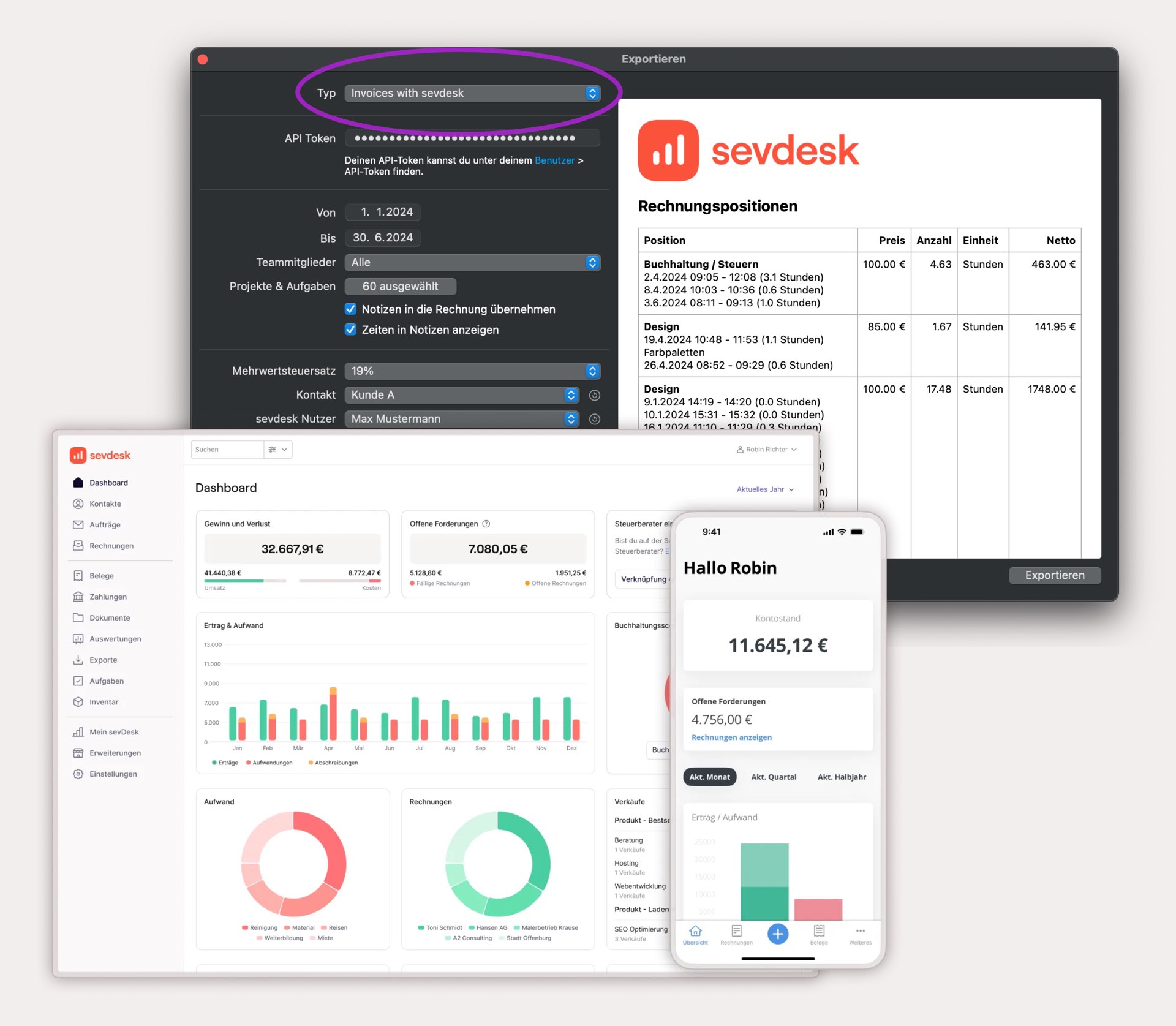
The partnership between Tyme and the successful accounting software sevdesk allows you to easily and quickly convert your and your team's recorded hours into sevdesk invoices.
With just a few clicks, your hours worked on projects, tasks and notes are visible on your invoice in sevdesk. Freely configurable, of course. This is fast, saves you from double work and avoids miscalculations. These times are immediately marked as "billed" in Tyme.
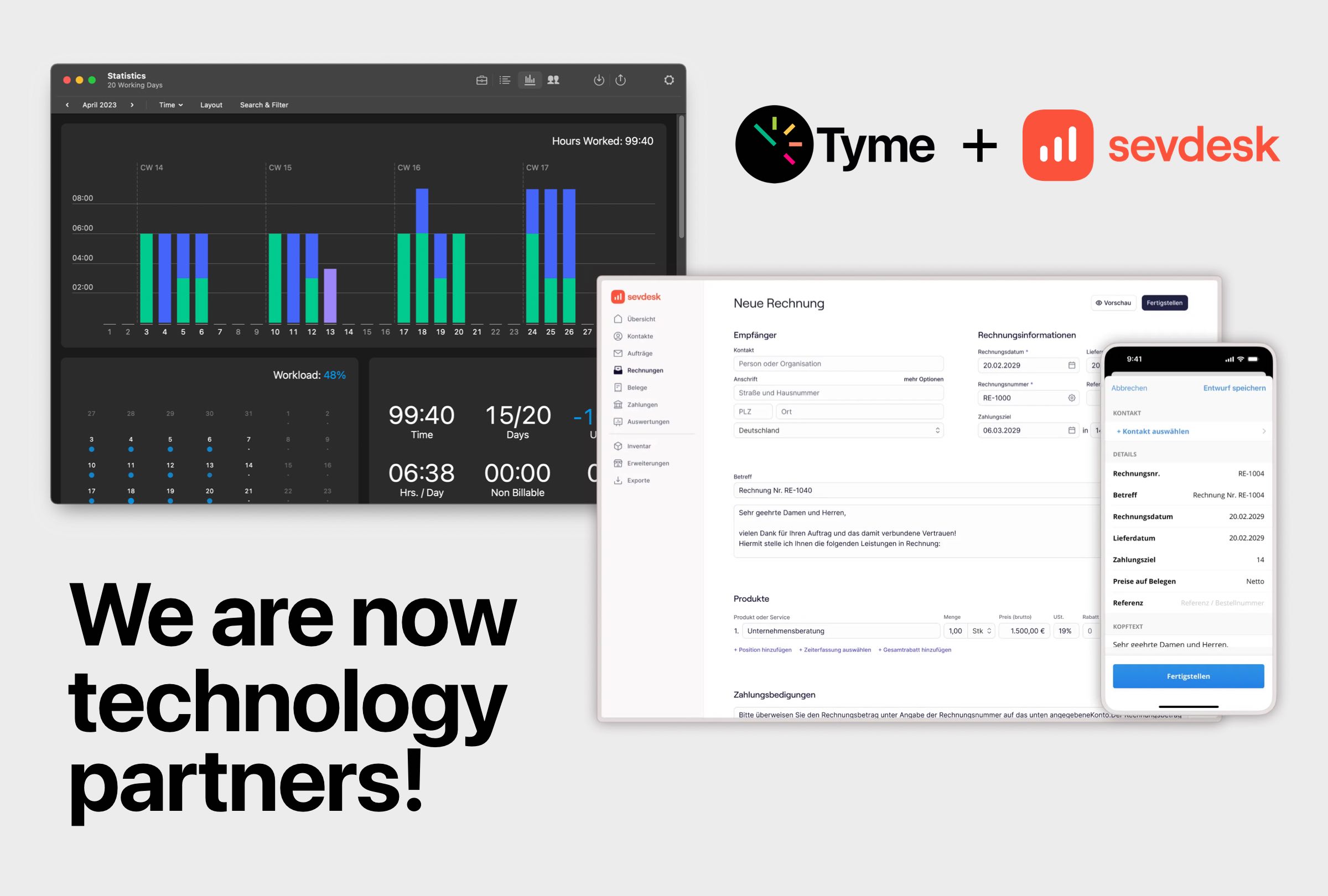
sevdesk is a cloud-based accounting software for all self-employed, freelancers and small businesses who want to turn their accounting nightmare into a walk in the park. In doing so, sevdesk addresses a problem that affects 6.4 million self-employed people in German-speaking countries. Satisfied customers according to review portals such as Google Reviews, Trustpilot or Provenexpert and the company's strong growth confirm the success of the software, which is digital, available anytime and anywhere from the cloud and easy to use thanks to AI.
Best of all, sevdesk is now available at a great discount for Tyme users. More infos on our partner page.
4.7

Start with a 14-day free trial.