July 09, 2020
iOS 14 Widgets
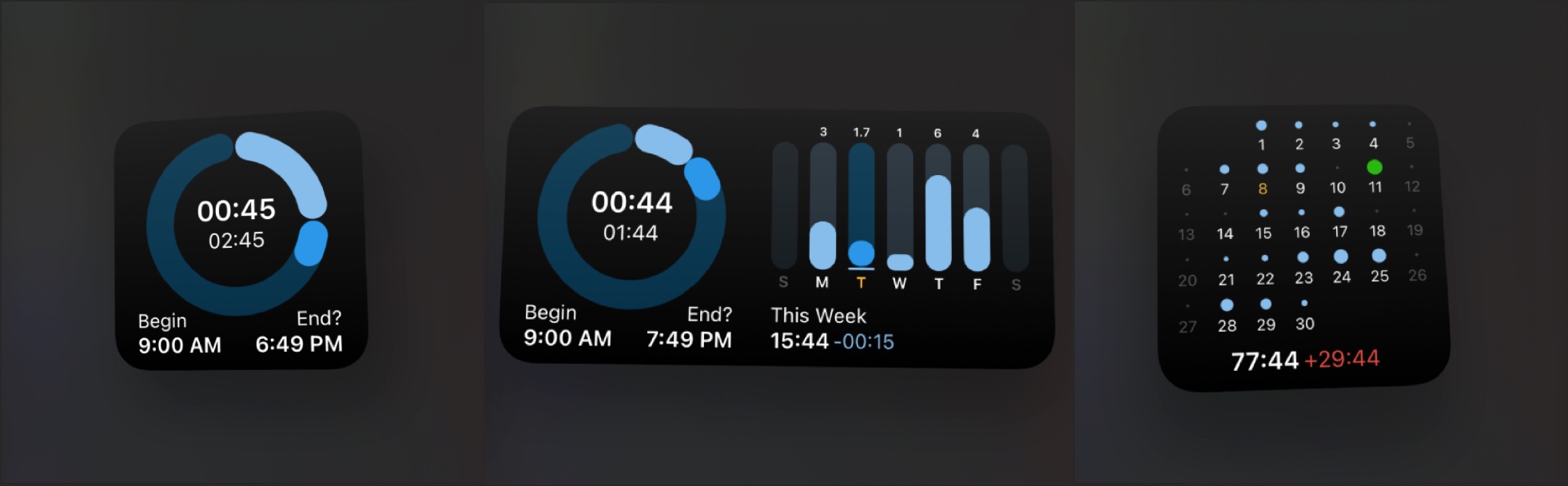
We're experimenting with the new home screen widgets that will be available this fall in iOS 14 (and macOS Big Sur). Widgets are a perfect fit for Tyme. Using a widget you'll instantly have an overview over your day or if a timer is still running. Right on your home screen.
We're currently working on these two types of widgets:
Today Widget: The today widget displays the running timer, your daily total, when you've started working and when it's time to call it a day. It also has a larger mode, where you can see your week and how many hours you've worked.
Month Widget: The month widget is kind of a calendar, where you can see your workload over the entire month. When did you work overtime? How many hours do you accumulated over the month? Using the month widget you always know.
Do you have an idea for a widget? What would you like to see on your homescreen? Drop us a mail: hello@tyme-app.com
June 18, 2020
The Vacation Update 🏝
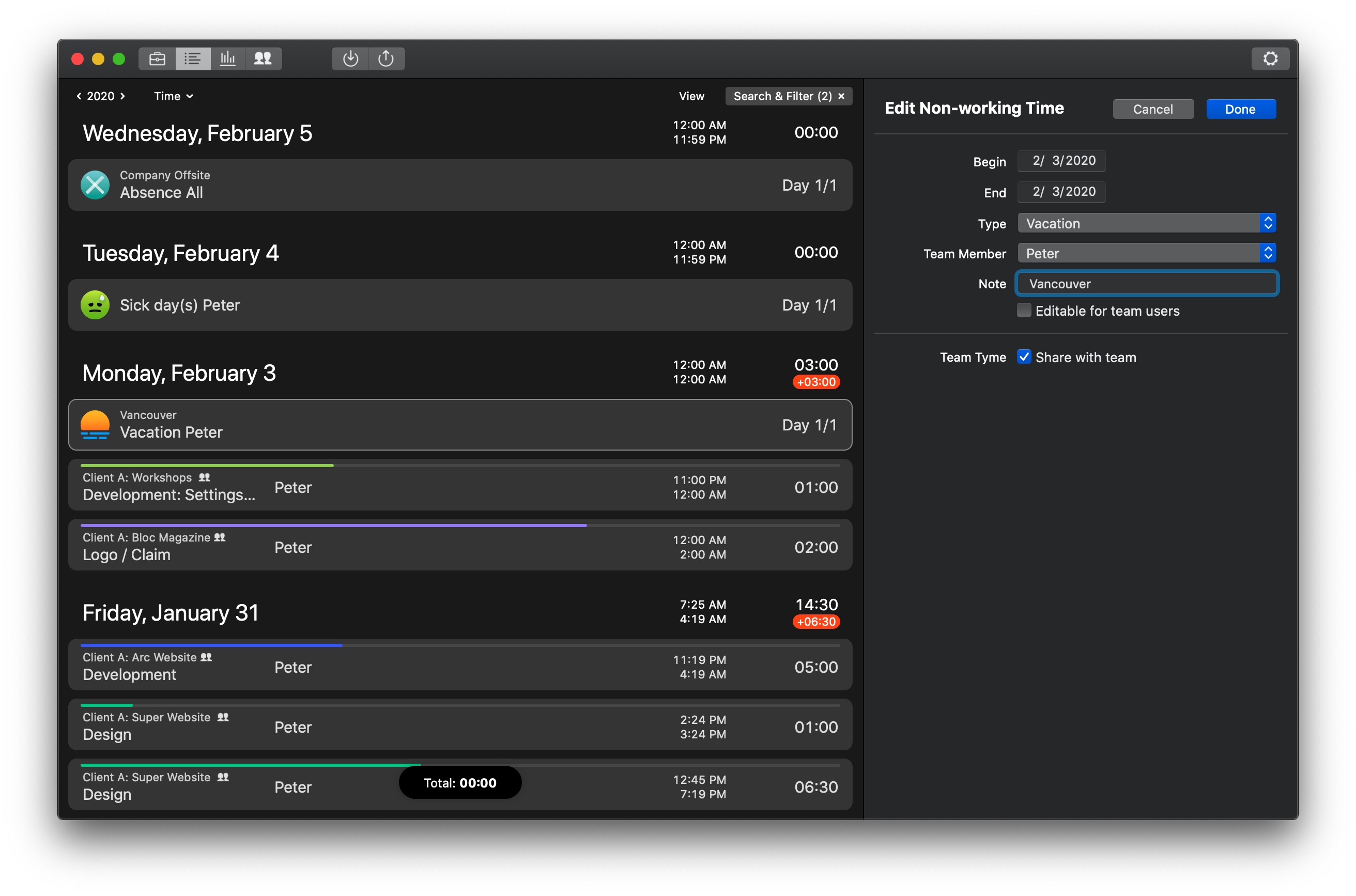
Finally you can enter non-working days like a vacation or sick days in Tyme. Share a vacation with your team, create absence days for your whole team or just create a vacation for yourself. Non-working days are displayed in the time entries and statistics. See instantly where you took a vacation and how many days of absence you have.
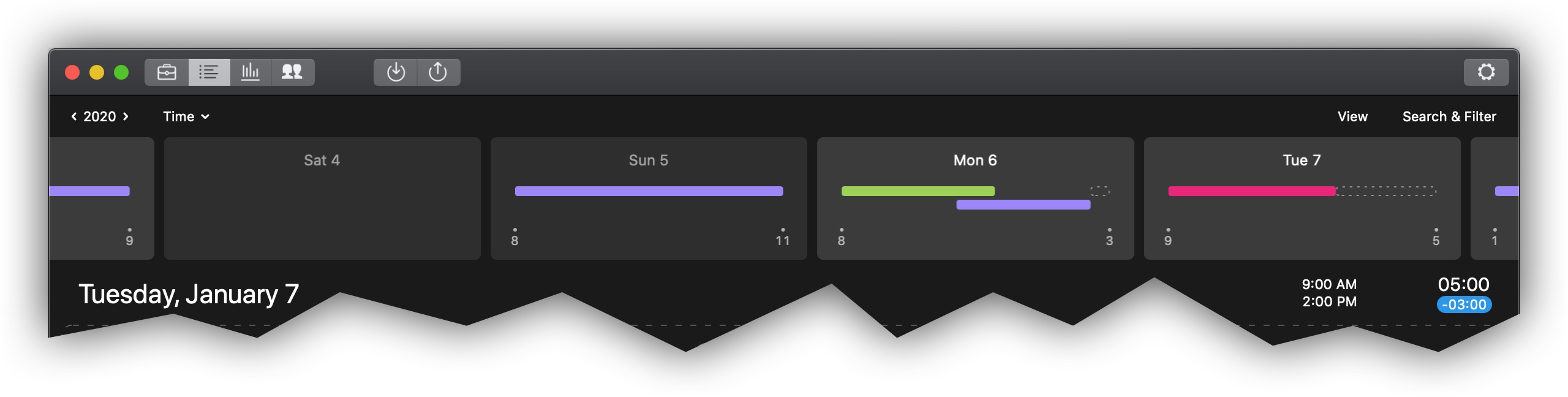
Along with the vacation feature, you can enable an additional new gap-chart in the time entries, that shows you when you work during the day. Gaps and missing times are instantly identifiable using this chart.
Happy tracking and enjoy your vacation!
June 03, 2020
Vacation / Sick Days
One of the most frequent questions we have received lately was how to define holidays and sick days in Tyme. At the moment you can solve this by creating a non-billable task "holidays" and book your holiday on it. But this is more than cumbersome, so we are working for one of the next updates to directly add vacation and sick days in Tyme. Holidays can then be set for the whole team, for example. This way the numbers in the statistics and the workload are always 100% correct.
If you have a feature request or a suggestion regarding this topic, just send us an email: hello@tyme-app.com
April 27, 2020
Undo Support (⌘+Z)
With the last update Tyme finally has full undo support. So if you accidentally deleted a project, stopped a timer or marked a whole year as paid. Undo to the rescue. And if you accidentally undid something that you didn't want to undo, you can even undo the undo using the redo (⇧⌘+Z) action.
Undo also works in the iPhone & iPad app (There is a new button in the settings to trigger the undo).
If we could we'd undo 2020, but just let's hope things will get better soon. Stay healthy!
March 25, 2020
Plan your days with Tyme
With Tyme, you can not only record times while you work, you can also plan your projects and tasks ahead. This gives you an overview of your workload at all times.
When you create a new project or task, simply enter the start and due date and the planned time.
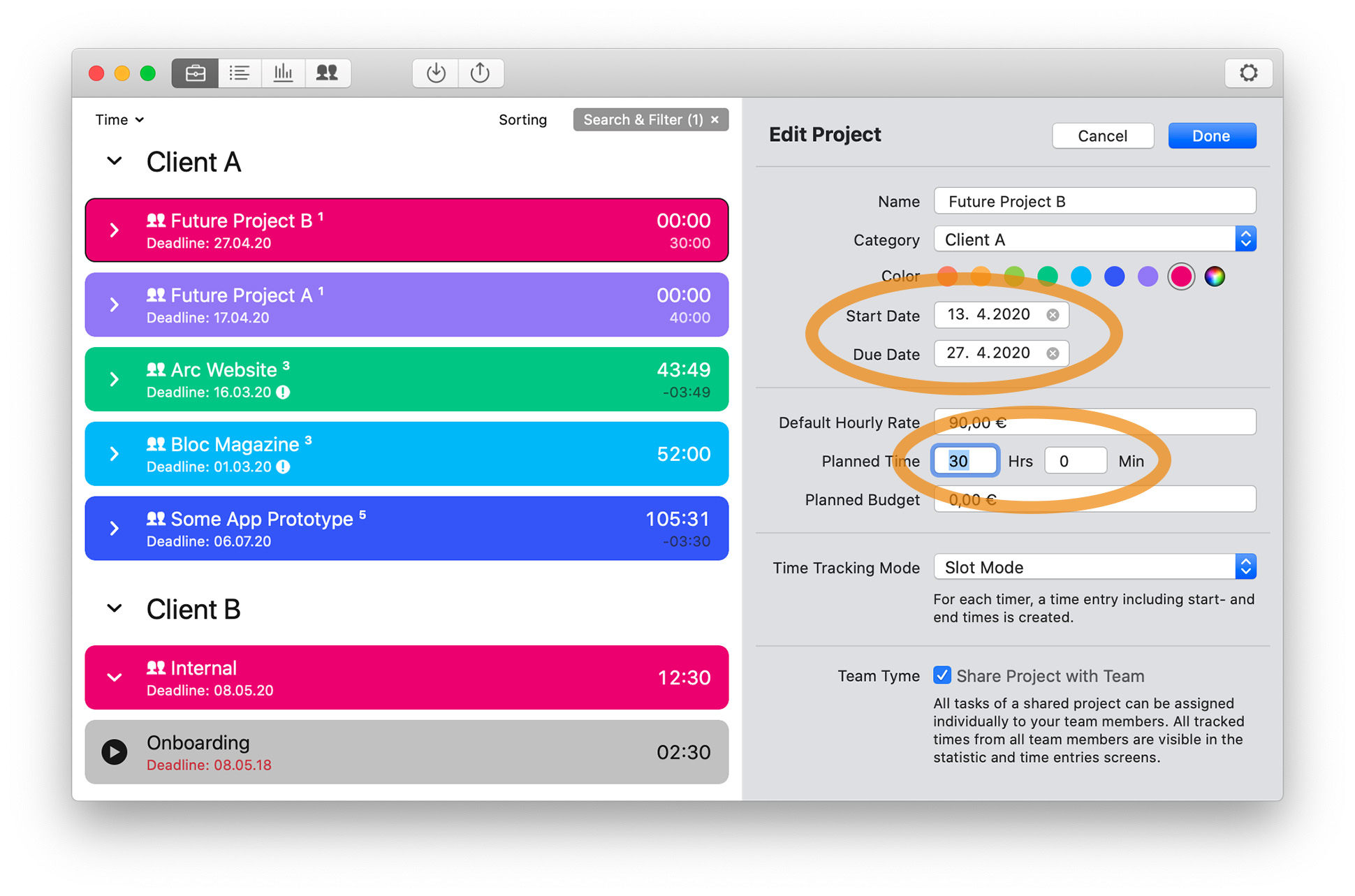
Tyme will show you how your workload looks like and how much breathing space you have left for other projects. The statistics are updated live as you work on the project.
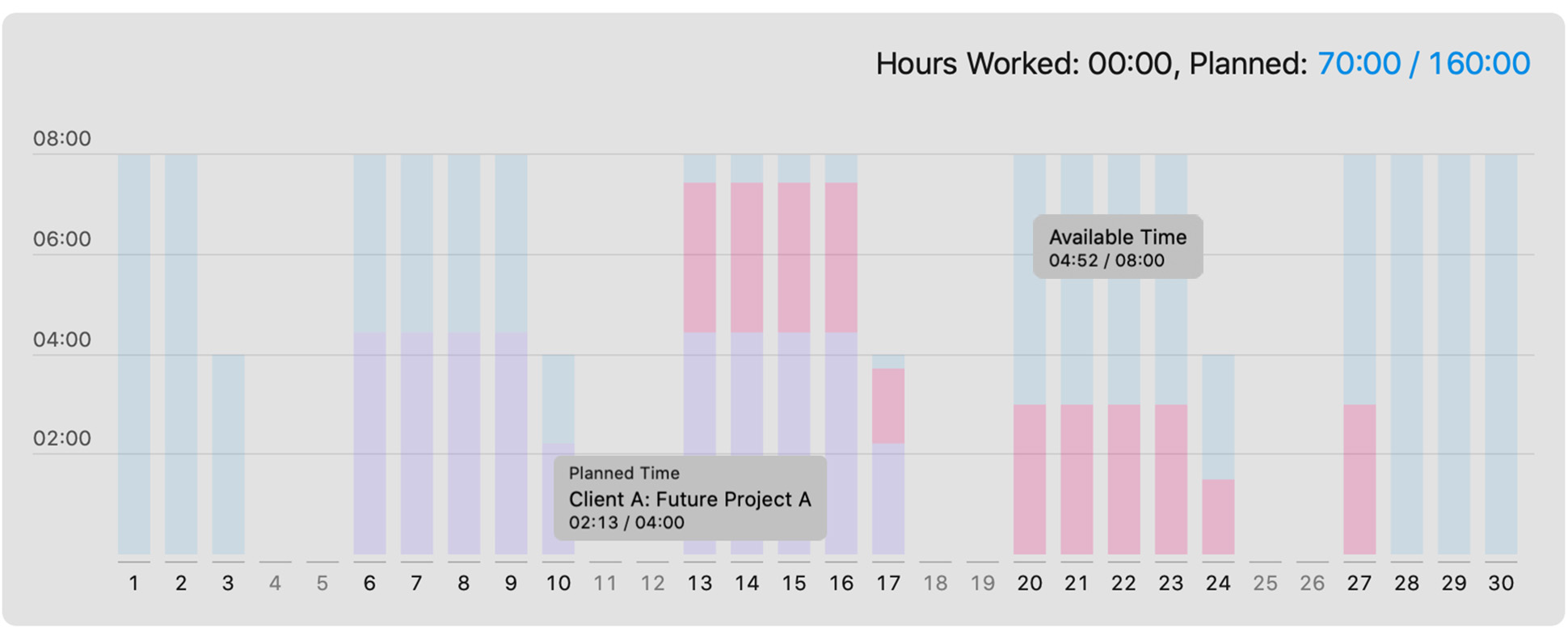
Additionally you can see how much time you have at your disposal. Like in this example, 70 hours of maximum 160 hours are already planned.
March 11, 2020
Tyme 3 Released
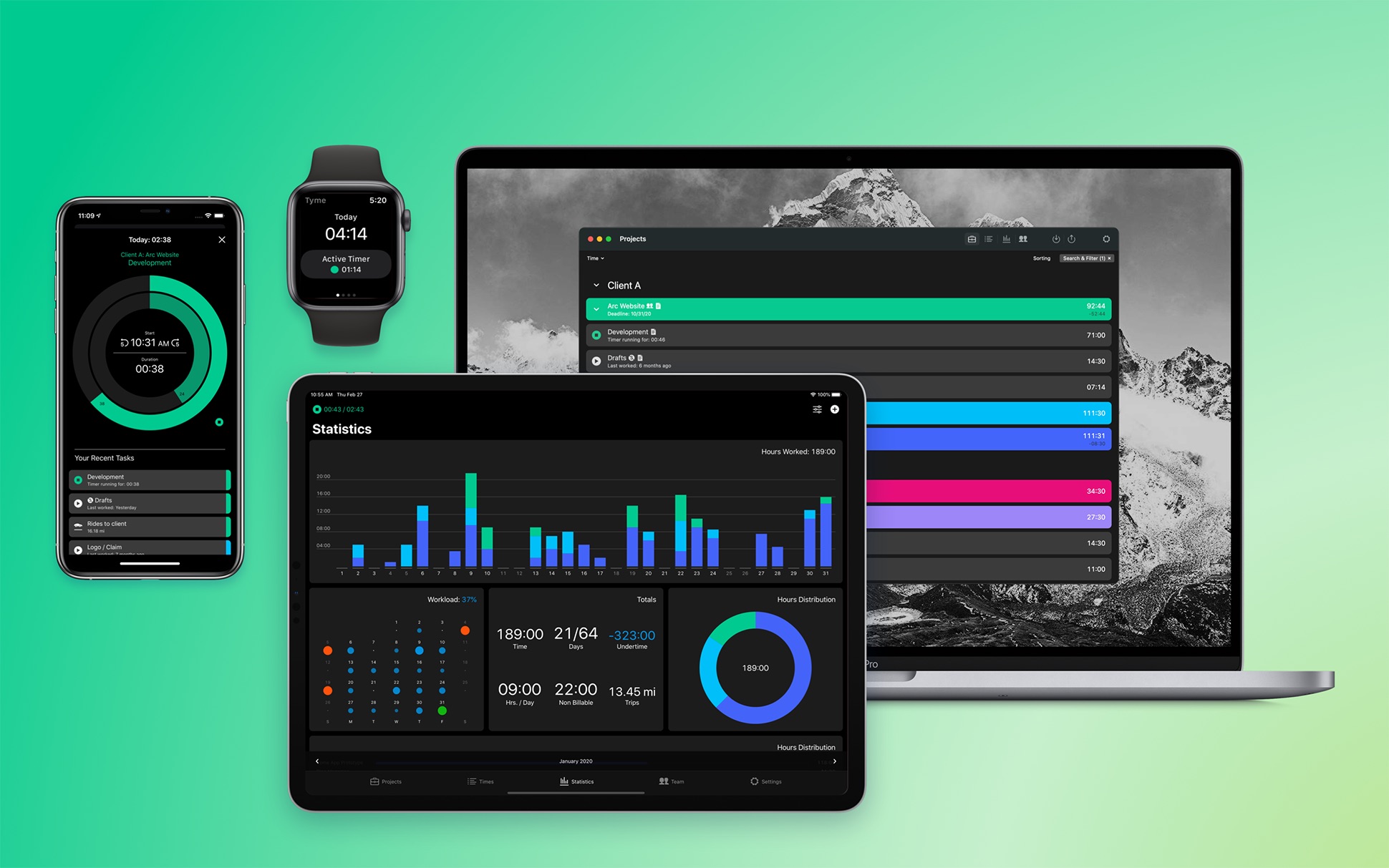
We have just released the successor of Tyme 2, Tyme 3, after 9 months of development. Besides a completely revised UI, which emphasizes effective and fast handling, there are many new features:
- Expense-Groups
- Notes for projects & tasks
- Configurable PDF export with live preview
- New, more detailed statistics
- Team Administration for iOS
- New Watch App that works independently of the iPhone
- and much more...
